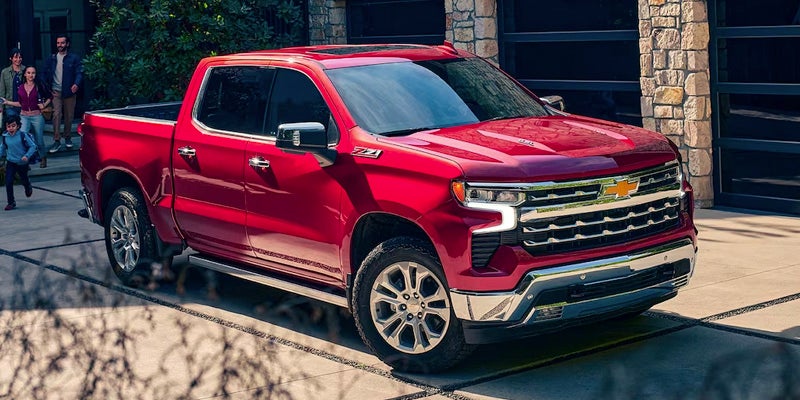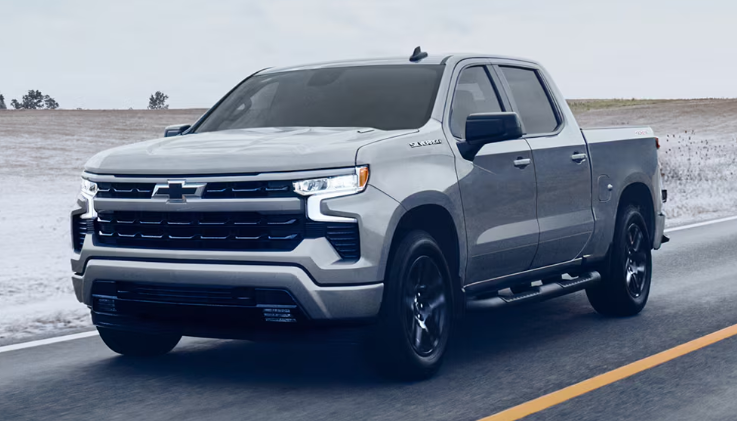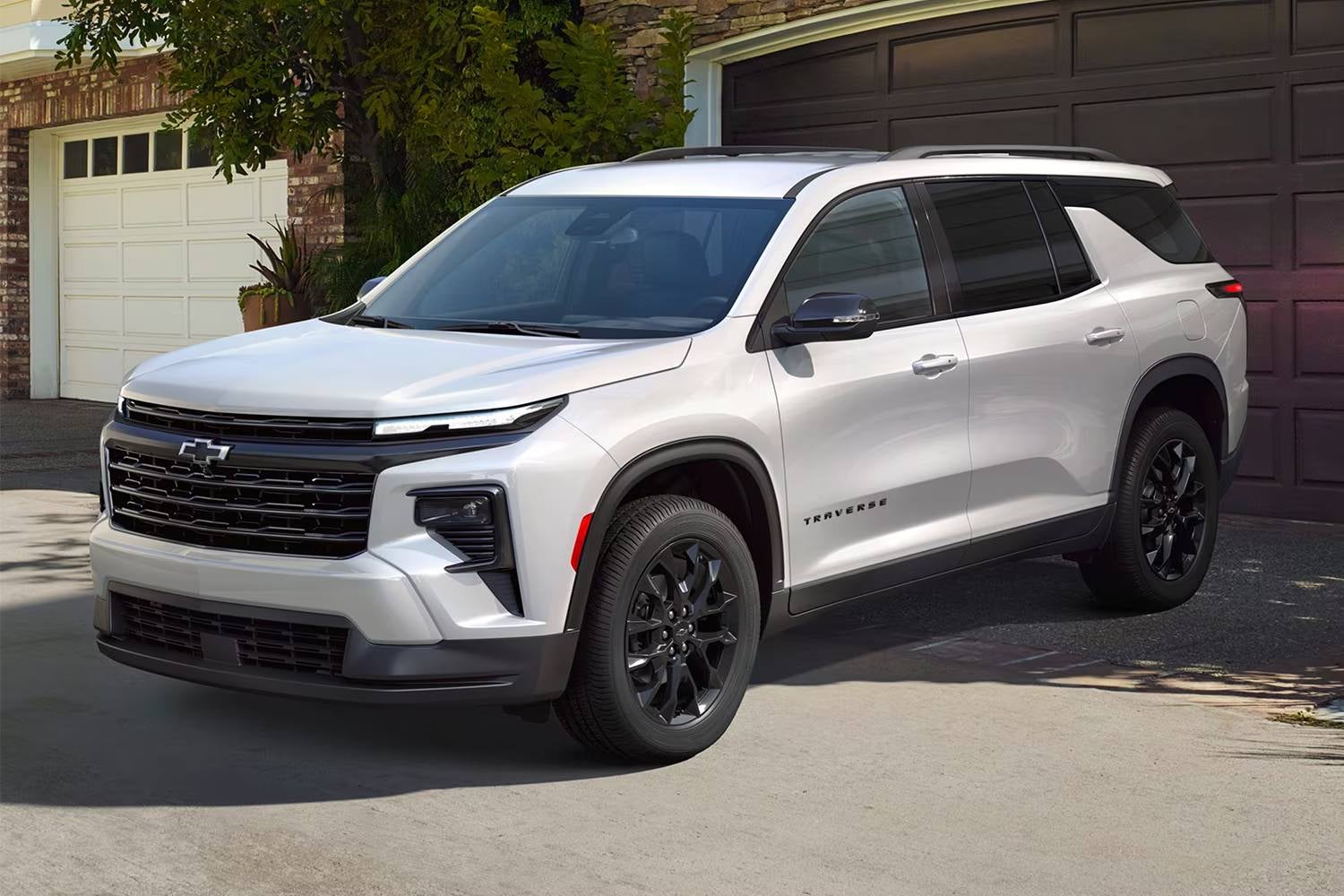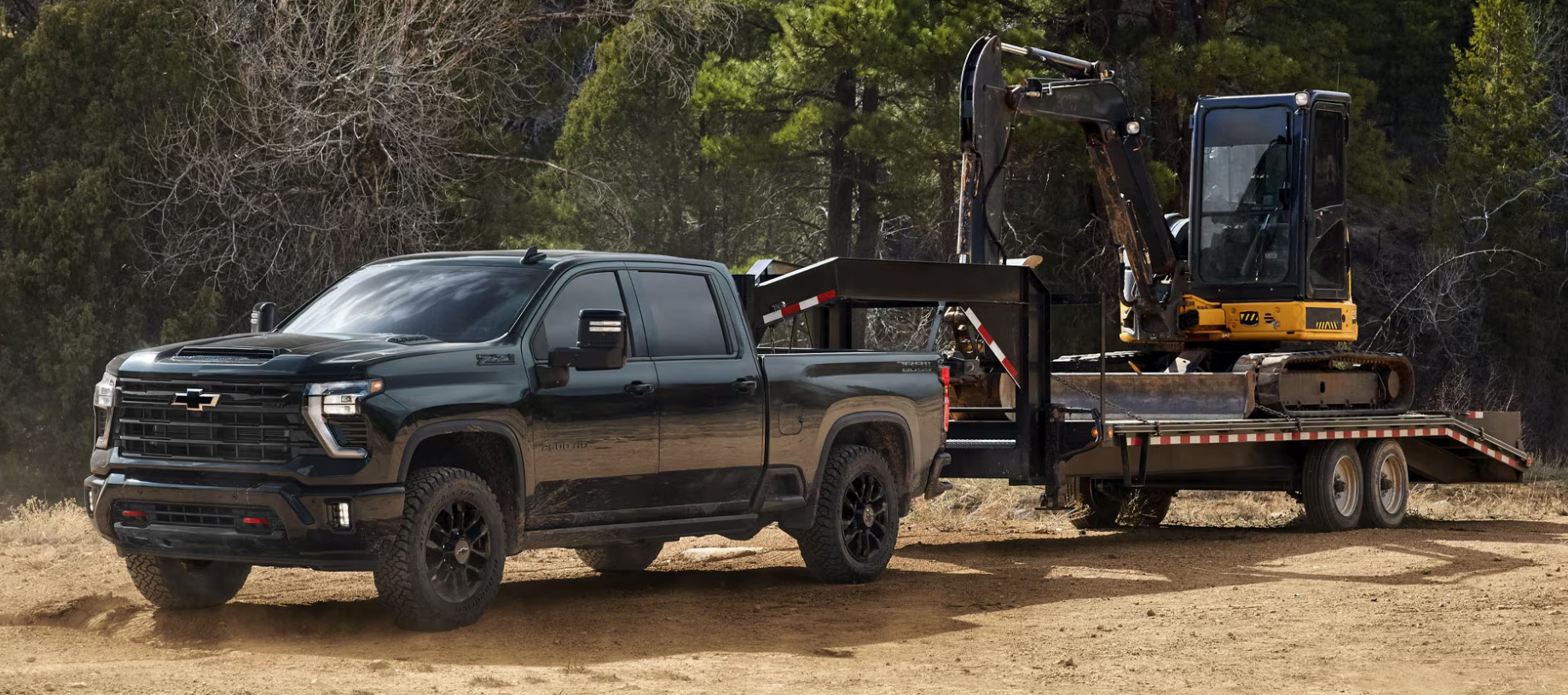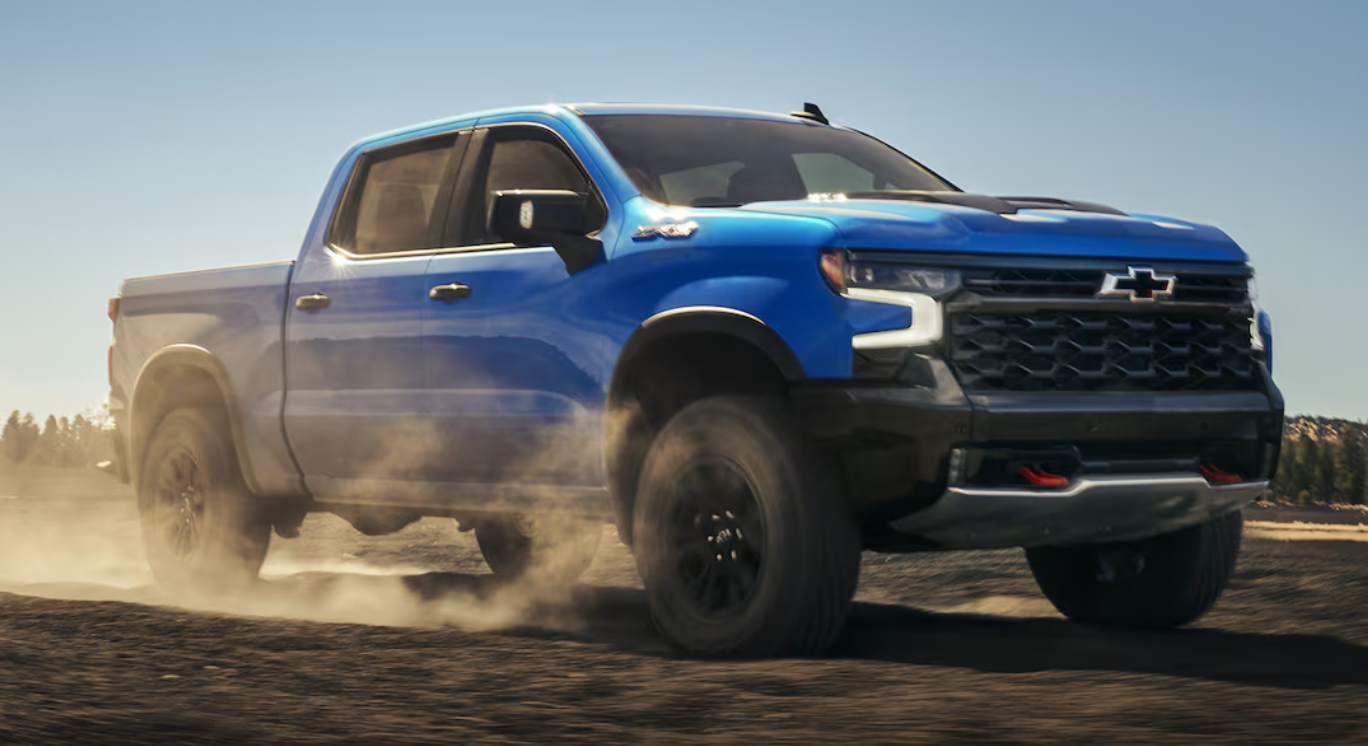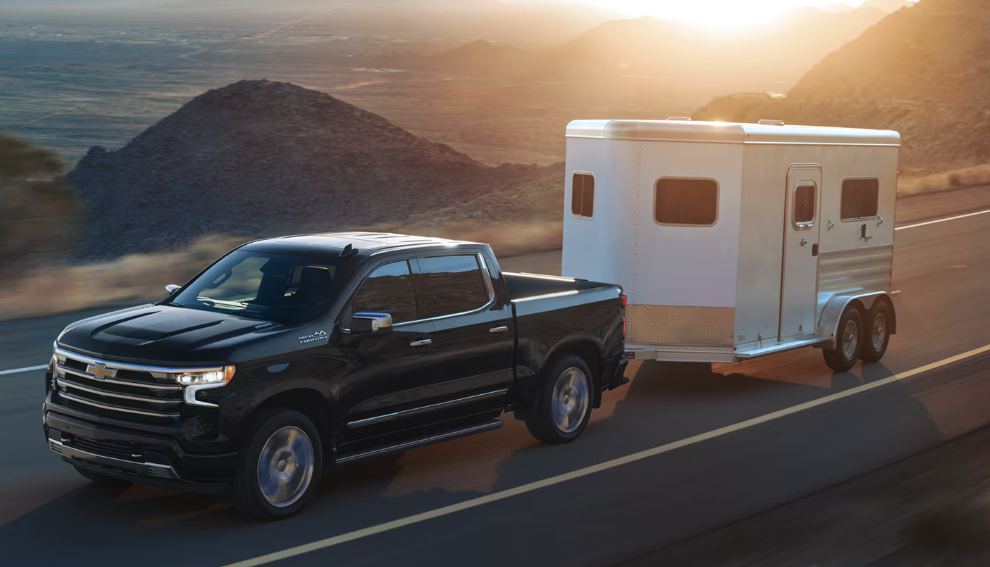





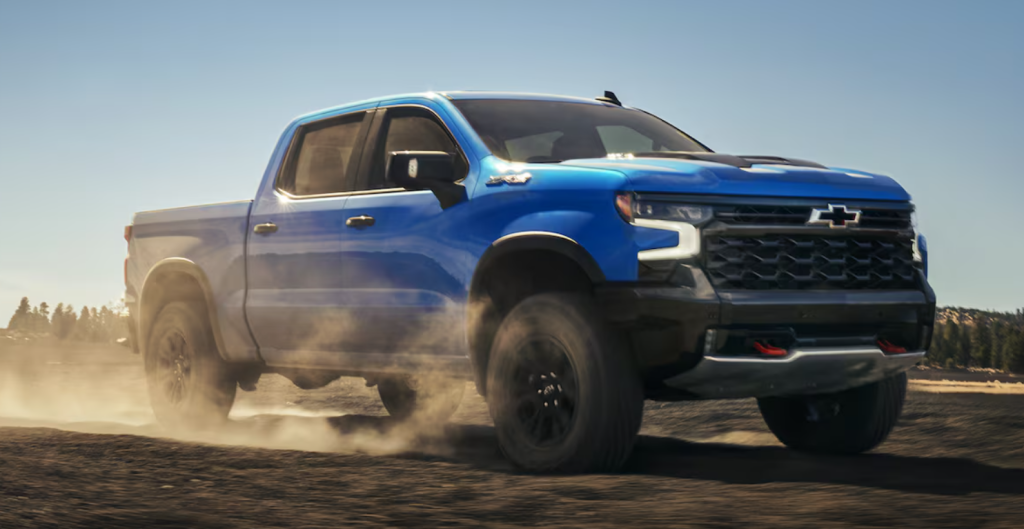
Picking the right truck comes down to what you're going to do with it day in, day out. Chevrolet builds trucks for boat hauling in Bay Saint Louis, job-site trailer duty around Gulfport and Biloxi, and everyday errands in Ocean Springs where parking space is tight but you still need to haul mulch on a Saturday. Knowing Chevy truck sizes from smallest to largest makes matching a model to your life a lot easier. Before you dive in, feel free to browse our new Chevy truck inventory to see what's currently on our lot. This guide breaks down Chevy truck specs, cab configurations, and bed dimensions across the Chevrolet pickup truck lineup, so you can pick a model based on your actual needs instead of guessing. Chevy Truck Sizes at a Glance: Smallest to Largest Chevrolet's current truck lineup breaks into three tiers. The Colorado is the midsize entry, built for drivers who want real capability without a full-size footprint. The Silverado 1500 sits above it as the full-size light-duty model, the one most Gulf Coast families and contractors already know well. Then there's the Silverado HD, split into the 2500HD and 3500HD, built for towing and payload jobs that go beyond what a light-duty truck can handle. Each step up brings more length and weight capacity along with a stronger engine, but also a bigger turning radius and a different ownership experience overall. The rest of this guide walks through each one in detail. Chevy Colorado: The Midsize Truck for Everyday Versatility The Colorado is the smallest truck in the current lineup, built for people who want truck capability without full-size bulk. It comes in six trims, from the work-focused WT up through LT, Trail Boss, Z71, ZR2, and ZR2 Bison, giving buyers real choice in how rugged or refined they want the truck to feel. Size, Cab, and Bed Practicality The Colorado comes exclusively in a Crew Cab configuration, so every buyer gets four full doors and rear seating standard. The bed runs 5'2" (61.7 inches), with 41.9 cubic feet of cargo volume. Overall length runs 212.7 to 213.2 inches depending on trim, on a 131.4-inch wheelbase. Height ranges from 78.8 to 81.9 inches depending on trim, and width comes in at 84.4 inches including mirrors. Payload tops at 2,046 lbs, and towing tops out at 7,700 lbs, but that figure requires the Advanced Trailering Package. Without it, a Colorado is rated at 3,500 lbs, and the off-road ZR2 and ZR2 Bison top out at 6,000 and 5,500 lbs respectively because of their trail hardware. Every Colorado runs the 2.7L TurboMax engine, producing 310 horsepower (HP) and 430 lb-ft of torque, a torque figure Chevrolet calls best-in-class for the segment. That matters if you're hauling a trailer of landscaping equipment or towing a small boat. Who the Colorado Fits Best If you're commuting into Gulfport for work and want something that still fits in a standard garage or a tight spot in Ocean Springs, the Colorado makes sense. It's also a solid pick for weekend anglers launching small boats near Bay Saint Louis, though if towing is part of the plan, spec the Advanced Trailering Package rather than assuming any Colorado hits 7,700 lbs. Families who want truck utility without a Silverado's footprint tend to land here too. Chevy Silverado 1500: The Full-Size Light-Duty Favorite The Silverado 1500 is where most buyers end up, and it's easy to see why. Nine trims cover the range, from the work-focused WT and Custom through Custom Trail Boss, LT, LT Trail Boss, RST, and LTZ, up to the off-road-ready ZR2 and the luxury-oriented High Country, so there's a configuration for nearly every use case. Cab and Bed Configurations Explained Unlike the Colorado, the Silverado 1500 offers three cab styles: Regular Cab, Double Cab, and Crew Cab. Paired with bed choices, that gives buyers real flexibility. The short bed comes in at 5'8" (69.9 inches) and 62.9 cubic feet of cargo space, the standard bed stretches to 6'7" (79.4 inches) and 71.7 cubic feet, and the long bed tops out at 8 feet (98.2 inches) with 89.1 cubic feet. All three bed lengths share the same 50.6 inches between the wheel wells, wide enough to lay a 4x8 sheet of plywood flat, which matters if you're running material to a job site in Picayune. The bed also includes 12 tie-downs rated at 500 lbs each. Width is 81.2 inches without mirrors and height is 75.5 inches across the lineup, while wheelbase depends on the build: a Crew Cab Short Bed sits on 147.4 inches, and stepping up to the standard bed stretches it further. Towing, Daily Driving, and Gulf Coast Recreation The engine lineup gives the Silverado 1500 real range. The 2.7L TurboMax, the same engine found in the Colorado, handles up to 9,500 lbs of towing here thanks to the larger platform. From there you can step up to the 5.3L EcoTec3 V8, the 6.2L EcoTec3 V8, or the 3.0L Duramax Turbo-Diesel. That 13,300 lb ceiling belongs to one specific build: a Double Cab Standard Bed 2WD with the Duramax, the Max Trailering Package, and 20-inch wheels. Other combinations tow less, so match the configuration to the load rather than the headline number. Max payload runs up to 2,260 lbs on a Regular Cab Long Bed 2WD with the TurboMax engine. For trailering confidence, the Silverado 1500 offers up to 14 camera views, handy when backing a boat trailer down a ramp in Bay Saint Louis or threading a job-site trailer through tight streets in D'Iberville. As a 4x4 option across most trims, it handles sandy boat launches and occasional off-pavement work common along the Mississippi Gulf Coast just fine. If you want to feel the difference between engines yourself, you can schedule a test drive in Gulfport at our dealership, or get pre-approved online before you visit. Chevy Silverado HD (2500HD & 3500HD): Built for Heavy-Duty Work Once you outgrow the Silverado 1500, the Silverado HD lineup takes over. Available across six models, the 2500HD and 3500HD are built specifically for towing and payload work that exceeds light-duty limits. Size and Configuration Differences from Light-Duty Models The Silverado HD shares some bed geometry with the 1500, including a similar 71.4-inch floor width and the same 50.6-inch gap between wheel wells, but the bed itself is built tougher. Chevrolet describes the HD bed as the "hardest-working bed" in its lineup, built with high-strength roll-formed steel to handle heavier daily abuse. Standard bed length runs approximately 82.3 inches (6'10"), with an 8-foot long bed also available, and total cargo space reaching 86.5 cubic feet. The gap between HD and 1500 shows up most clearly in payload. The 2500HD offers up to 3,979 lbs of payload when properly equipped, while the 3500HD pushes that to as much as 7,442 lbs. On towing, the 3500HD is rated up to 36,000 lbs in its maximum configuration. The 2500HD tows up to 18,500 lbs with the 6.6L gas V8 and up to 20,000 lbs with the available Duramax 6.6L turbo-diesel, again when properly equipped. Higher trims like the ZR2 bring a 13.4-inch touchscreen and a 12.3-inch Driver Information Center, and the Trail Boss package is available on LT and LTZ trims for buyers who want off-road capability alongside heavy-duty capacity. Who Needs a Silverado HD This tier is built for contractors hauling equipment trailers near Gulfport, Biloxi, or Picayune, and for anyone regularly towing loads that push past what a 1500 can handle. If your work involves gooseneck trailers, heavy machinery, or livestock hauling, the HD's payload and towing ceiling make it the more dependable choice. Chevy Colorado vs Silverado 1500 vs Silverado HD: Side-by-Side Comparison Here's how the three tiers stack up on the specs that usually decide the purchase. Keep in mind that the towing and payload figures below are maximums for properly equipped trucks, so the number on your build sheet depends on cab, bed, drivetrain, and which trailering package is on the vehicle. Feature Colorado Silverado 1500 Silverado HD Class Midsize Full-size, light-duty Full-size, heavy-duty Cab styles Crew Cab only Regular, Double, Crew Cab Regular, Double, Crew Cab Bed length(s) 5'2" 5'8", 6'7", 8' 6'10" standard, 8' available Max towing 7,700 lbs with Advanced Trailering Package (3,500 lbs without) Up to 13,300 lbs (Duramax, specific configuration) 18,500–20,000 lbs (2500HD), up to 36,000 lbs (3500HD) Max payload Up to 2,046 lbs (properly equipped) Up to 2,260 lbs (properly equipped) Up to 3,979 lbs (2500HD), 7,442 lbs (3500HD) Matching Truck Size to Your Lifestyle Specs matter, but they only tell part of the story. How you actually use the truck week to week should drive the decision more than any single number on a spec sheet. Jobsite and Towing Needs For light-duty tasks like hauling tools or the occasional trailer, the Colorado covers most needs. Contractors running heavier equipment trailers around Gulfport or Biloxi will find the Silverado 1500 a better middle ground, while serious jobsite hauling near Picayune, especially with gooseneck or heavy equipment trailers, points toward a Silverado HD. Family Practicality and Daily Commuting The Silverado 1500's Crew Cab options and interior room make it the more comfortable daily driver for families, especially with three cab styles to choose from. Smaller households or individuals commuting into Ocean Springs or D'Iberville may prefer the Colorado's tighter footprint and easier parking. Weekend Recreation on the Gulf Coast The Colorado handles small boats and beach gear well, while the Silverado 1500 covers most mid-size boats headed to Bay Saint Louis marinas. If your weekend hobby involves a larger vessel or a heavy camper, the Silverado HD's towing ceiling gives you more room to work with. Frequently Asked Questions What Is the Smallest Chevy Truck? The Colorado is the smallest and only midsize truck in Chevrolet's current lineup, built for everyday tasks and light hauling in a more compact package. What Is the Biggest Chevy Truck? The biggest Chevy truck, and the biggest Chevy pickup truck overall, is the Silverado 3500HD, offering the highest towing and payload figures in the lineup. Which Chevy Truck Size Is Best for Towing? The Silverado HD models offer the highest towing capacities, with the 3500HD rated up to 36,000 lbs and the 2500HD between 18,500 and 20,000 lbs depending on engine. The Silverado 1500 still covers most boats and trailers, reaching 13,300 lbs with the Duramax diesel in the right configuration. Find Your Perfect Chevy Truck at Turan-Foley Chevrolet Choosing the best Chevrolet truck for your life on the Gulf Coast comes down to matching size, bed configuration, and towing capacity to what you actually do day to day. Our team at Turan-Foley Chevrolet Buick in Gulfport can walk you through the Colorado, Silverado 1500, and Silverado HD side by side. Ready to Take the Next Step? Browse our full new Chevy truck inventory to compare trims and configurations in real time. Ready to move forward? Contact our team to ask questions or set up a visit to our Gulfport location.
What's New With the 2027 Chevy Trax?
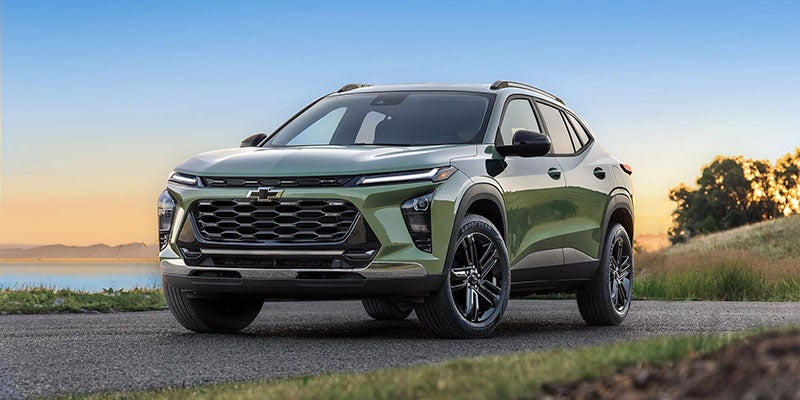
What’s New With the 2027 Chevy Trax? The Chevy Trax has become one of the easiest SUVs to recommend for drivers who want something affordable, stylish, and simple to live with every day. It is small enough for easy parking around Gulfport, Biloxi, and the Mississippi Gulf Coast, but still gives you the higher seating position and flexible cabin space that make SUVs so useful. Now, the 2027 Chevy Trax is getting a fresh update. Chevrolet is keeping the same practical spirit that made the Trax popular, but adding new design details, larger screens, updated technology, more standard safety and driver assistance features, and new color options. For shoppers who want a compact SUV that feels modern without moving into a larger or more expensive model, the 2027 Trax should be worth watching closely. Here is a closer look at what is new with the 2027 Chevy Trax, what carries over, and what Gulf Coast drivers should know before it arrives. A Refreshed Exterior Design The 2027 Chevy Trax gets a more polished look outside. Chevrolet says the new Trax will feature a new exterior design with a more premium feel, giving the SUV a sharper presence from the front, side, and rear. Updates include a new grille, refreshed wheel designs, all-LED lighting, and an enhanced rear design. That matters because the Trax has always been a value-focused SUV, but the latest version looks less like a basic entry-level vehicle and more like a smart, stylish everyday crossover. For drivers who want an SUV that feels right at home pulling up to work, heading to the beach, or running errands along Highway 49, the new design should help the 2027 Trax stand out. Chevrolet is also giving different trims more distinct personalities. The RS keeps the sportier look, while ACTIV leans into a more adventurous style. LT should remain a strong starting point for shoppers who want useful features and modern design without overcomplicating the buying process. New Colors for the 2027 Trax Color is another area where the 2027 Trax gets more interesting. Chevrolet has announced three new exterior color options: Lagoon, Sunrise Orange, and Pacific Blue Metallic. These colors give the Trax a little more personality, which fits the model well. This is an SUV for drivers who want something practical, but not boring. There is also a new Storm Sky Gray interior color debuting for the Chevrolet brand. This gives the cabin a more natural, modern look and should pair well with the updated dashboard and screen layout. For shoppers who care about style but still need a vehicle that makes sense for daily driving, these new color choices are a nice upgrade. Larger Screens and Updated Cabin Tech The biggest everyday difference may be inside the 2027 Trax. Chevrolet is upgrading the screen setup with an 11.3-inch center touchscreen and an 11-inch Driver Information Center. That gives the cabin a more modern layout and makes key information easier to see while driving. The 2027 Trax will also continue to focus on smartphone-friendly technology. Wireless Apple CarPlay and Android Auto compatibility are part of the tech story, making it easier to bring your maps, music, calls, and messages into the vehicle without plugging in every time you drive. Chevrolet is also previewing Google built-in features with Google Gemini. That means the Trax is moving toward a more conversational, connected driving experience where drivers can use voice commands more naturally for select tasks. For a compact SUV in this price range, that is a meaningful technology upgrade. More Standard Safety and Driver Assistance Features Another major update for 2027 is safety technology. Chevrolet says the 2027 Trax will include more than 20 standard safety and driver assistance features. That is a big selling point for families, commuters, first-time SUV buyers, and anyone who wants extra confidence on busy Gulf Coast roads. The available safety and driver assistance feature list includes helpful systems such as HD Rear Vision Camera, Reverse Automatic Braking, Lane Change Alert with Side Blind Zone Alert, Intersection Automatic Emergency Braking, Side Bicyclist Alert, Teen Driver, Safety Alert Seat, Rear Seat Reminder, Rear Seat Belt Indicator, and Buckle to Drive. Of course, these systems do not replace attentive driving, but they can make everyday driving feel easier. Whether you are backing out of a parking space, merging on I-10, driving through downtown Gulfport, or teaching a younger driver good habits, the added safety tech gives the 2027 Trax more built-in value. Keyless Convenience and a More Modern Feel The 2027 Chevy Trax also moves away from a few older features. Chevrolet says manual climate controls, keyed ignition, and analog gauges will be discontinued for the 2027 model. In their place, the Trax gets a more modern setup with keyless operation, digital displays, and updated cabin controls. That may sound like a small change, but it helps the Trax feel more current. Small SUVs are often daily drivers, so details like larger screens, easy access, cleaner controls, and a more modern dashboard layout can make a real difference over time. Available Power Liftgate for the First Time One of the more practical updates is the available power liftgate. This is the first time Trax will offer this feature, and it is exactly the kind of convenience upgrade compact SUV shoppers can appreciate. Loading groceries, beach bags, sports gear, or luggage is easier when you can open the rear liftgate with less effort. For a vehicle that is likely to be used for commuting, errands, weekend trips, and family driving, the available power liftgate gives the 2027 Trax another everyday advantage. Still Practical, Still City-Friendly Even with the new look and upgraded technology, the 2027 Trax stays focused on what made the model popular in the first place. It remains a front-wheel-drive compact SUV that is easy to drive, easy to park, and easy to fit into daily life. The 2027 Trax seats up to five and offers a flexible cabin with 60/40 split-folding rear seats. Chevrolet also lists 38.7 inches of rear-seat legroom, which helps the Trax feel more useful than many shoppers might expect from a smaller SUV. For Gulfport-area drivers, that combination makes sense. You get a vehicle that is comfortable enough for commutes, quick drives to Biloxi, or weekend plans around the Mississippi Gulf Coast, but still compact enough to feel simple around town. The Trax is not trying to be a three-row SUV or a rugged truck. It is trying to be a smart everyday SUV, and the 2027 updates should make it even stronger in that role. What Models Will Be Available? Chevrolet is currently highlighting three available 2027 Trax models: LT, RS, and ACTIV. The LT is the strong starting point. It should appeal to shoppers who want modern features, good style, and strong value without needing the boldest trim. The RS is the sportier-looking option, with more athletic design details and available 19-inch wheels. The ACTIV trim leans more upscale and adventurous, giving the Trax a more distinctive look and a higher-content feel. That three-model structure should make shopping easier. Instead of sorting through a long list of confusing trims, shoppers can focus on the personality that fits them best: practical, sporty, or more expressive. When Will the 2027 Chevy Trax Be Available? Chevrolet says the 2027 Trax is expected to be available in spring 2027. Pricing has not been released yet, so shoppers who are comparing budget, payment, or lease options should keep an eye out for final details closer to launch. If you do not want to wait, you can already explore the current Chevy Trax for sale in Gulfport, MS at Turan-Foley Chevrolet. The current Trax remains a strong choice for drivers who want a compact SUV with sharp styling, useful technology, and everyday versatility. Should You Wait for the 2027 Trax or Shop Now? That depends on what you need. If you are excited about the refreshed design, larger screens, expanded safety technology, and new colors, waiting for the 2027 Trax could make sense. The updated model should feel more modern inside and out, especially for shoppers who care about tech and design. On the other hand, if you need a vehicle soon, the current Trax is still a strong option. You can browse Turan-Foley Chevrolet’s new Chevy inventory now to see what is available, compare trims, and check current offers. You can also review new Chevy specials to see whether there are current opportunities that make shopping now more appealing. Drivers with a trade-in may also want to start early. Use the trade appraisal tool to get an estimate for your current vehicle, then compare that value against a new Trax or another Chevrolet SUV. If monthly payment is the biggest question, Turan-Foley Chevrolet’s finance center can help you review lease and financing options. Is the 2027 Chevy Trax Electric or AWD? The 2027 Chevy Trax is not electric, and Chevrolet says it will be front-wheel drive across all models. For many compact SUV shoppers, that is perfectly fine. Front-wheel drive helps keep the Trax efficient, affordable, and easy to drive. If you are looking for an EV or a larger SUV, Chevrolet has other options worth considering. But if your priority is an affordable compact SUV with a modern cabin, useful safety features, and a refreshed design, the 2027 Trax should stay high on your list. Shop Chevy Trax SUVs at Turan-Foley Chevrolet The 2027 Chevy Trax brings the right kind of updates: better screens, more standard safety and driver assistance features, fresh styling, new colors, and added convenience. It does not abandon what made the Trax appealing. It simply makes Chevy’s compact SUV feel more modern, more confident, and more useful for everyday life. While the 2027 model is expected in spring 2027, you can shop current Trax models today at Turan-Foley Chevrolet in Gulfport, MS. Browse our new Chevy Trax inventory, compare our latest Chevy specials, value your trade, or visit us to find a compact SUV that fits your life on the Mississippi Gulf Coast.