




Blog

All New Inventory Local Comparison Technology Finance Green Silverado 1500 Chevy Guide Pre-Owned Inventory News Gulfport Chevrolet Dealer Parts People Silverado HD Community Events Service Social Blazer Colorado Gulfport Chevrolet Service Traverse
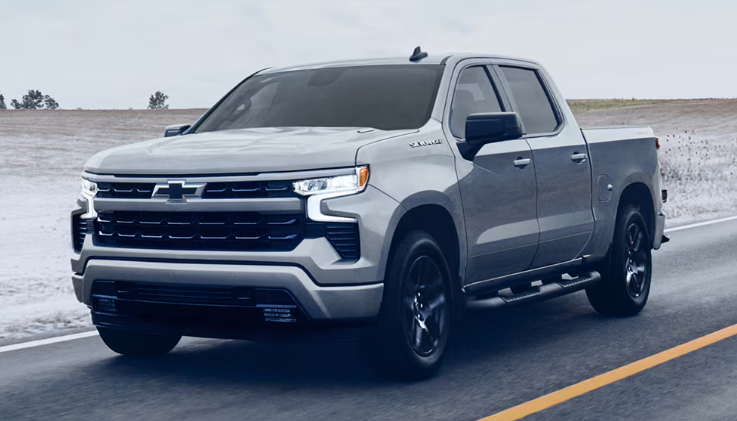
2026 Silverado driving in the snow

Chevy LT vs. LTZ: What’s the Difference?

Shopping for a new Chevrolet is exciting, but picking the right trim level can feel surprisingly tricky. You've probably noticed the letters "LT" and "LTZ" on window stickers, model pages, and dealer lots and wondered what they actually mean for your driving experience. Whether you're eyeing a Silverado 1500, Equinox, or Traverse, understanding the difference between these two trims before you sign is worth your time. We invite you to browse our new Chevy inventory at Turan-Foley Chevrolet Buick while you read through this breakdown. One thing many shoppers don't realize at first: LT and LTZ are trim designations applied across multiple Chevrolet models, not standalone model names. The specific features included at each level vary from vehicle to vehicle, which is why understanding the general pattern and then looking at the model that interests you matters. What LT and LTZ Actually Mean in the Chevy Lineup LT stands for Luxury Touring. It marks Chevrolet's mid-range trim level, sitting above base options like the LS or Work Truck and offering a noticeable step up in features without pushing into premium territory. Well-equipped without going overboard is a fair description. LTZ goes a step further. It is widely described as standing for Luxury Touring Z, with the "Z" historically signaling a top-of-the-line position within the lineup. LTZ is Chevy's higher-end experience before you reach special editions or flagship configurations. You get upgraded materials, better technology, and more standard features that would otherwise cost extra on the LT. In practical terms, LT is your solid middle-ground option. LTZ is for the buyer who wants more of everything without crossing into fully custom territory. How LT and LTZ Generally Compare Across Chevrolet Models Across most Chevrolet vehicles, the gap between LT and LTZ follows a consistent pattern. LT delivers solid, everyday functionality. LTZ refines that foundation with premium touches that are hard to overlook once you've experienced them. The differences run deeper than cosmetics, touching the steering wheel feel, seat materials, infotainment quality, and safety tech throughout the cabin. Interior Comfort and Materials Step inside a Chevy LT and you'll find durable cloth seating with a clean, practical layout. It gets the job done and holds up well for daily use. The LTZ interior is a different experience. Leather-appointed seats, available heated and ventilated options, and more refined trim materials elevate the cabin immediately. Many LTZ models also include memory settings for the driver's seat and upgraded audio systems, which make a real difference on longer drives. For buyers who spend a lot of time behind the wheel, whether commuting through Gulfport or hauling family across the Gulf Coast, those interior upgrades add genuine comfort rather than just bragging rights. Technology, Infotainment, and Safety Features Both trims include Apple CarPlay and Android Auto connectivity, so smartphone integration isn't an exclusive feature. LTZ tends to go further with larger touchscreen displays, premium audio options, and more USB ports throughout the cabin. On the safety side, features like blind-spot monitoring and rear cross-traffic alerts are often standard on the LTZ, while they may only be available as paid add-ons on the LT. This is where the comparison gets especially practical. If advanced driver-assistance systems matter to you, the LTZ frequently delivers them without stacking on extra options packages. Chevy Silverado 1500 LT vs. LTZ: A Closer Look The Silverado 1500 is where this comparison gets most useful for truck buyers. The table below shows how the two trims compare on the current model year: Trim Seating/Interior Wheels & Exterior Camera & Park Assist Driver-Assist Safety Other Convenience LT Standard cloth upholstery Standard wheels Rear vision camera Standard Chevy Safety Assist Baseline LT convenience features LTZ Leather-appointed seating 20-inch wheels, LED lighting HD Surround Vision, front and rear park assist Trailer side blind zone alert, rear cross-traffic braking Power-folding mirrors, power sliding rear window One important note on performance: trim level alone does not change the base engine on the Silverado 1500. The LTZ does unlock access to optional higher-output engines that aren't available at lower trim levels. If towing capacity is a priority, that opens the door to powertrain upgrades that genuinely impact what the truck can handle. It's a distinction that's easy to miss when comparing trims purely on spec sheets. The Silverado LT is a capable truck suited for daily driving and weekend hauling. The Silverado LTZ adds interior refinement, a wider safety suite, and access to powertrain options that stack up quickly in real-world use, especially if you regularly pull a boat, trailer, or equipment along the coast. If you'd like to schedule a test drive in both trims back to back, our Gulfport team can make that happen. Not Every Chevy Offers Both Trims Not every Chevrolet model offers both LT and LTZ trims, and this is worth knowing before you get too deep into the comparison. The LTZ designation is most common on trucks and larger SUVs. The Tahoe, for example, is available in LS, LT, RST, Z71, Premier, and High Country trims for the current model year. There is no LTZ on the Tahoe. If you're shopping a Tahoe, the relevant comparison shifts to LT vs. Premier or LT vs. High Country. Before settling into this comparison for a specific vehicle, it's worth confirming which trims are actually available for that model. We're happy to walk you through the current lineup on any Chevy you're considering. Is the LTZ Worth It Over the LT? It depends entirely on what you need. The LTZ is not automatically the better choice for every buyer. If you're purchasing a Silverado LTZ to access a higher-output engine for serious towing or frequent hauling, the upgrade makes practical sense. If you regularly take long family road trips, the leather-appointed seating, HD Surround Vision, and expanded safety suite deliver real value over the miles. If you primarily want a work truck for daily use and don't plan to use the advanced features regularly, the LT gives you everything you need without the added cost. One thing worth knowing: the LTZ bundles safety features, technology upgrades, and interior improvements together. Trying to add those same features individually as options on an LT often costs more than simply stepping up to the LTZ from the start. But if you won't use them, that math changes. LT or LTZ: Which Trim Is Right for You? Consider the LT If… You want a dependable, well-featured vehicle without paying for extras you won't regularly use You use your truck primarily for daily commuting, light hauling, or family driving around Gulfport You prefer a more straightforward feature set and lower monthly payment You're a fleet buyer or work-truck user focused on reliability over cabin refinement Consider the LTZ If… You drive long distances frequently and want a cabin that holds up in comfort over hours You need access to optional higher-output engines for towing or heavy payloads You want advanced safety features like HD Surround Vision and trailer side blind zone alert as standard equipment You're buying a family vehicle and want the more refined interior for road trips along the Gulf Coast Frequently Asked Questions About Chevy LT and LTZ What does LT stand for on a Chevy? LT stands for Luxury Touring. It's a mid-range trim designation used across multiple Chevrolet models, positioned above base trims like the LS or Work Truck and below higher-end configurations like the LTZ. What does LTZ stand for on a Chevy? LTZ is widely described as standing for Luxury Touring Z. The "Z" has historically indicated a top-of-the-line or performance-elevated position within the trim structure. That's the commonly cited explanation, though Chevrolet does not formally define the designation on current model pages. Is the LTZ better than the LT? The LTZ includes more standard features, upgraded interior materials, and expanded safety technology compared to the LT. For towing-focused buyers or drivers who want a more refined cabin, the LTZ delivers meaningful upgrades. For budget-conscious buyers or those who won't regularly use the added features, the LT is the smarter fit. It comes down to your priorities. Do all Chevy models offer an LTZ trim? LTZ availability varies by model. It's most common on trucks like the Silverado 1500 and select larger SUVs. The Tahoe, for instance, offers an LT trim but no LTZ. Always check the specific trim lineup for the model you're considering. What trim is above LTZ on the Silverado 1500? The High Country sits above the LTZ on the Silverado 1500. It adds premium features like exclusive interior materials, a unique exterior appearance package, and additional technology and convenience upgrades that go beyond what the LTZ includes. It's the top of the Silverado trim ladder. Compare LT and LTZ Models at Turan-Foley Chevrolet Buick Reading about trim levels only gets you so far. Sitting inside a Silverado 1500 LTZ versus an LT, or experiencing both on a drive through Gulfport, gives you a much clearer picture than any spec sheet can. At Turan-Foley Chevrolet Buick, we've been serving the Mississippi Gulf Coast community for over 50 years as a family-owned dealership. Our inventory includes a strong selection of new Chevrolet models across multiple trim levels, including Silverado 1500 trucks in both LT and LTZ configurations, as well as SUVs like the Tahoe, Traverse, Equinox, and more. We'll walk you through exactly what each trim includes on the specific model you're considering and help you find the right fit for your needs and lifestyle. Browse our new Chevy inventory online, schedule a test drive at our Gulfport location, or contact our team with any questions. We're at 11123 Hwy 49N, Gulfport, MS 39503, and ready to help you make the right call between LT and LTZ.
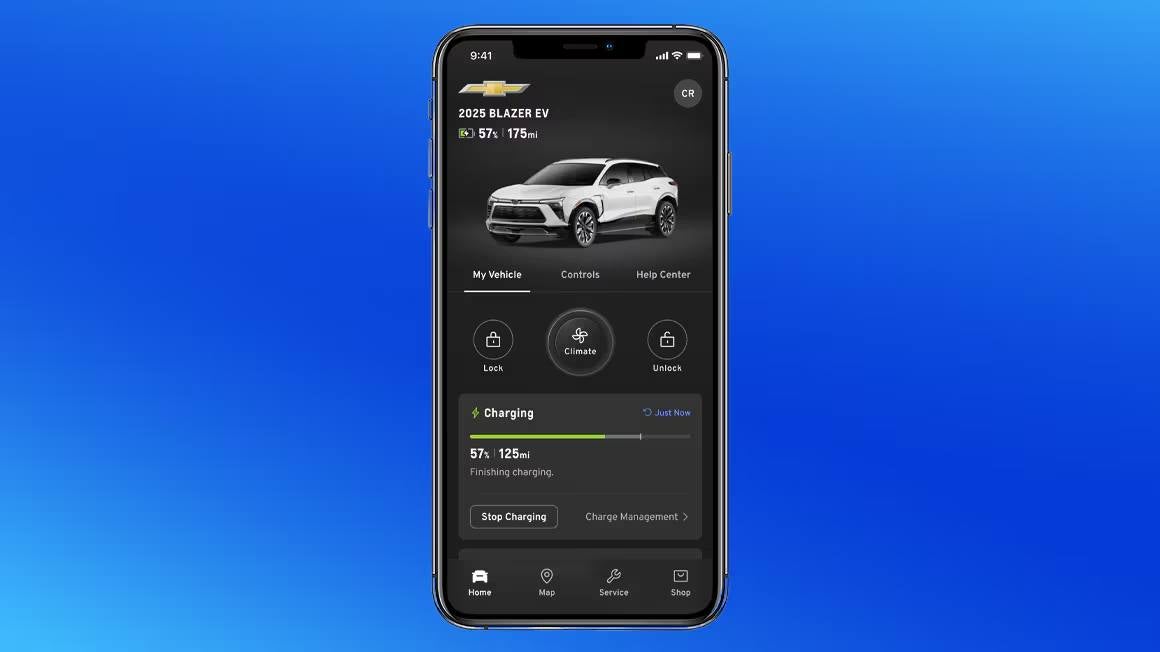
my chevy app on a phone

Does MyChevrolet App Work Without OneStar?

If you've recently picked up a new Chevrolet and noticed the myChevrolet app on your phone, you're probably wondering what it can actually do. Yes, the myChevrolet app works without an active OnStar subscription, but the experience is noticeably different depending on which features you're after. Knowing where that line falls can save you a lot of frustration. If you want to talk it through right away, feel free to contact our team at Turan-Foley Chevrolet in Gulfport, MS. So, Does the myChevrolet App Work Without OnStar? The myChevrolet app works as both a standalone tool and a companion to OnStar's connected services. Without an active OnStar subscription, you can still access a solid set of features: maintenance tracking, service scheduling, and your digital owner's manual are all available. The more exciting capabilities, like remote start and emergency assistance, are tied directly to an active OnStar Connected Services plan. The app essentially has two tiers: a free layer that anyone with a GM account can use, and a connected layer that depends on OnStar's cellular and GPS technology. The table below shows exactly where the line falls. Available Without OnStar Requires Active OnStar Plan Download and use the app with a GM account Remote start / stop View digital owner's manual and how-to videos Remote lock / unlock Schedule service at a dealer Live vehicle location / stolen vehicle assistance Recall notifications for your VIN Send destinations to in-vehicle navigation myChevrolet Rewards points balance Automatic Crash Response and Emergency Services Maintenance reminders Roadside Assistance through the app Basic vehicle status display (varies by vehicle/setup) In-vehicle Wi-Fi Hotspot data What You Can Do With the myChevrolet App Without an OnStar Subscription Even without OnStar, the myChevrolet app delivers genuine value for everyday ownership. It pulls everything vehicle-related into one place, making it easier to stay on top of your car's needs. Maintenance Tracking, Owner's Manual, and Recall Lookup One of the most practical aspects of the app is how it surfaces maintenance information without requiring any connected services plan. You can check oil life, monitor tire pressure, view fuel levels, and receive alerts when your vehicle is due for service. The digital owner's manual replaces the printed booklet in your glove compartment. The recall lookup tool lets you check whether your specific vehicle has any outstanding safety recalls using your VIN. Both are available at no charge. Service Scheduling, myChevrolet Rewards, and Account Management The app makes it easy to schedule a service appointment at your preferred dealership without making a phone call. If you're a myChevrolet Rewards member, your points balance and account details are accessible right within the app as well. Managing your myChevrolet account, viewing service history, and receiving maintenance reminders all fall into this no-subscription tier. These features are available to any registered user, which makes the app worthwhile even if you never activate OnStar. Which Features Require an Active OnStar Connected Services Plan The most talked-about capabilities of the myChevrolet app require an active OnStar plan. These features turn your phone into a remote control for your vehicle and depend on the cellular connectivity and GPS technology that OnStar provides. Remote Commands: Start, Lock, Unlock, and Vehicle Status Remote start is probably the most frequently asked-about feature. To use it through the app, you need an active OnStar Connected Services plan. The same applies to remotely locking or unlocking your doors and checking real-time vehicle status, including door position and on-demand tire pressure updates. These commands are transmitted through OnStar's cellular network, not over Bluetooth or Wi-Fi. None of that works without an active connected services subscription. Location Tracking, Emergency Assistance, and Wi-Fi Hotspot Several safety and convenience features are also gated behind an active OnStar plan. Real-time location tracking, helpful if a vehicle is stolen or if you're monitoring a teen driver, requires OnStar. Emergency assistance, which connects you with a live advisor during accidents or medical emergencies, is unavailable without a subscription. The in-vehicle Wi-Fi Hotspot uses OnStar's connectivity to keep passengers connected on the road, and it also requires an active plan. These aren't features you can replicate through Bluetooth or the car's built-in infotainment system. Vehicle Eligibility and Account Syncing: Why Some Features May Still Be Unavailable Even with an active OnStar subscription, some features might not show up in your app. This usually comes down to vehicle eligibility and account syncing. Not every Chevrolet model supports every feature. Compatibility depends on the model year and the technology package installed at the factory. An older Silverado may not support the same remote features as a newer Equinox or Tahoe. Before assuming the app is malfunctioning, confirm that your vehicle's hardware actually supports the feature you're trying to use. Account syncing is another common culprit. If your VIN isn't correctly linked to your myChevrolet account, or if there's a mismatch in your account data, certain features may appear unavailable even when they should work. Verifying your account details and re-syncing your vehicle can often resolve these issues quickly. What Happens to Connected Features When Your OnStar Trial Expires New Chevrolet vehicle purchases come with a 1-month trial of OnStar One. If you purchase a plan within that 1-month trial, you receive an additional 2 months at no charge, for a total of up to 3 months. When that trial expires, the change is significant: remote start, vehicle tracking, emergency services, and the Wi-Fi Hotspot all stop working until you subscribe to a paid plan. What remains is the core free tier: maintenance tracking, service scheduling, recall lookup, myChevrolet Rewards access, and the owner's manual. The app doesn't disappear, but it loses quite a bit. If you relied on remote start during the trial, that drop in functionality will be noticeable. Whether to continue with a paid plan really comes down to how much you use those connected features. For drivers who use remote start regularly or value real-time vehicle status updates, a plan tends to make sense. For others, the free tier covers their needs just fine. How to Download and Set Up the myChevrolet App Getting started is straightforward. Follow these steps: Download the myChevrolet app from the Apple App Store or Google Play at no cost. Sign in with your existing GM account or create one using the email address you gave at the dealership. Add your vehicle by entering your VIN, found on your dashboard, door jamb, or registration paperwork. Complete any OnStar or connected-services pairing prompts if your vehicle supports them. After syncing, the app populates with your vehicle's information and displays which features are available based on your subscription status. If you run into any trouble during setup, your local dealership can walk you through it in person. Frequently Asked Questions About the myChevrolet App and OnStar Does every Chevrolet model support remote features through the app? No. Compatibility depends on the model year and factory-installed technology equipment. Newer vehicles like the Tahoe, Traverse, and Silverado 1500 are generally well-equipped for connected services, but older models may have limited support. Checking your vehicle's specifications or asking a dealership advisor will give you a clear picture of what's available for your specific vehicle. Can I use Bluetooth instead of OnStar for app connectivity? No. Bluetooth supports hands-free calling and media streaming inside the cabin, but it is not a replacement for OnStar's telematics. Remote commands, real-time vehicle status updates, and location tracking all depend on a cellular connection provided through OnStar. Bluetooth doesn't have the range or data capabilities to perform those functions remotely. Is the myChevrolet app free to download and use? Yes. The app is free to download, and the basic features, including maintenance tracking, the digital owner's manual, service scheduling, and myChevrolet Rewards access, are available at no charge. The features that require payment are those tied to an active OnStar Connected Services subscription, such as remote start and location tracking. Get Help Setting Up Your myChevrolet App If you've just purchased a new or pre-owned Chevrolet and want help getting the app up and running, we're here to help. At Turan-Foley Chevrolet Buick, we've been serving the Gulf Coast community, including Gulfport, MS, Biloxi, and the surrounding area, for over 50 years. If you need help syncing your vehicle, want to know which OnStar plan fits your driving habits, or have questions about connected features on your specific model, our factory-trained team can walk you through it. Stop by at 11123 Hwy 49N, Gulfport, MS 39503, or call us at (228) 206-0327 to get started.

chevy mylink on car screen

What Is Chevy MyLink? Features, Connectivity, and How Chevy Infotainment Works

Most drivers know they want a connected, intuitive cabin experience, but the terminology gets confusing fast. If you've searched "what is Chevy MyLink" and ended up with a jumbled mix of answers about older interfaces, newer upgrades, and app integrations, you're not alone. This guide breaks down exactly what the system is, how it works today, and what you can expect behind the wheel of a modern Chevrolet. If you'd rather see it in person, browse our new Chevrolet inventory to find the model and trim that fits your needs. What Is Chevy MyLink? Understanding the Name and What It Means Today Chevy MyLink is Chevrolet's branded infotainment platform, built to put entertainment, connectivity, and navigation controls front and center on the vehicle's touchscreen. Chevrolet first introduced the system in 2011 with the Volt, then rolled it out across the broader lineup beginning with select 2012 model year vehicles. It runs on the QNX real-time operating system with Nuance voice recognition software, giving it a stable, responsive foundation that Chevrolet has kept building on ever since. The goal was pretty straightforward: give drivers a smarter, more connected cabin experience without overwhelming them. The system ties together audio, phone, navigation, and vehicle settings into one interface, and it earned a solid reputation for being approachable and reliable across many model years. From MyLink to Chevy Infotainment 3: How the System Evolved In 2019, Chevrolet rebranded the platform as Chevy Infotainment 3. This isn't a completely separate system; it's a refinement of the same platform, bringing a more responsive touchscreen, faster processing, expanded app integration, and wireless connectivity options that earlier generations didn't support. Wireless Apple CarPlay and Android Auto, now standard expectations for many buyers, are among the most notable additions in the Infotainment 3 era. Navigation became more refined, the interface grew cleaner, and the whole experience started feeling less like a feature you had to learn and more like a natural part of driving. Many drivers still search for "Chevy MyLink" simply because that's the name on their current vehicle, which is why it's worth knowing that both terms refer to the same evolving platform. Smartphone Integration: Apple CarPlay, Android Auto, and Bluetooth Apple CarPlay and Android Auto let your phone's interface display directly on the vehicle's touchscreen, giving you access to navigation apps, messaging, music, and calls without picking up your device. Wired pairing uses a USB cable for a stable connection and simultaneous charging. Wireless pairing, available on newer models, connects your phone automatically once it's in range. No cable required. Newer 2026 models offer wireless Apple CarPlay and Android Auto on most gas-powered vehicles. How to Connect Your Phone: Step-by-Step Bluetooth pairing: Put the vehicle in park and turn on the infotainment display. Tap the phone or settings icon on the home screen. Enable Bluetooth on your phone. Select your vehicle from the available devices list on your phone. Confirm the pairing code on both devices when prompted. Wi-Fi hotspot connection: From the home screen, navigate to Settings, then Wi-Fi Hotspot. Activate the hotspot and note the network name and password displayed. On your device, go to Wi-Fi settings and select the vehicle's network. Enter the password. The hotspot supports up to 7 devices simultaneously. Once paired via Bluetooth, your phone reconnects automatically every time you get in the car. Schedule a test drive and we can walk you through the full setup process in person. Core Features You Can Access Through Chevy Infotainment The Chevy infotainment system acts as the central hub for nearly everything inside the cabin, from audio and navigation to voice commands and connected services. Here's what the platform actually delivers. Audio, Streaming, and Radio Controls You can toggle between AM/FM radio, Bluetooth audio, USB-connected music libraries, and streaming services like Spotify or Apple Music through CarPlay or Android Auto. Pandora and Stitcher Radio are also accessible via touchscreen or voice command. Steering wheel controls and the center console both manage audio, and select vehicles include Bose Centerpoint surround sound for a noticeably upgraded listening experience. Navigation: Built-In GPS vs. Using Your Phone Built-in turn-by-turn GPS works independently of your phone and mobile data, with real-time traffic alerts and toll booth notifications built in. That's a genuinely useful backup for drivers in areas with spotty coverage along the Gulf Coast. Phone-based navigation through Apple Maps or Google Maps runs through CarPlay or Android Auto and offers constantly refreshed traffic data and rerouting. Having both options means you're covered either way. Voice Controls and Hands-Free Features Using the voice recognition button on the steering wheel, you can place calls, send texts, change audio sources, request directions, and adjust volume without lifting your hands. The system responds to natural language rather than rigid commands, which makes a real difference in day-to-day use. Paired with Siri through Apple CarPlay or Google Assistant through Android Auto, voice control becomes more capable still. Useful for everything from navigation requests to sending messages on a long drive. OnStar Integration Chevy infotainment works alongside OnStar to extend what the system can do for your safety and convenience. On equipped vehicles, that includes Automatic Crash Response, roadside assistance, vehicle diagnostics, access to live advisors, and turn-by-turn navigation support. These services connect directly through the infotainment interface, keeping everything accessible from the same screen you're already using. Infotainment 3 Tiers: What You Get at Each Level Chevrolet offers the Infotainment 3 platform across three tiers. The table below outlines what's confirmed at each level. System Screen Size Wireless CarPlay / Android Auto Built-In Navigation Wi‑Fi Hotspot Available On Infotainment 3 7-inch or 8-inch diagonal touchscreen (base trims) Standard on most 2026 models (varies by trim) No (smartphone projection only) Yes, available on most trims with active service plan Trax LS & 1RS (8-inch), Silverado 1500 base (legacy 7-inch on some work trucks), Trailblazer base, others Infotainment 3 Plus 8-inch or 10.2-inch HD diagonal touchscreen Standard on 2026 models Yes (U.S., Puerto Rico, Canada; requires active service + data plan) Yes, with active service plan Blazer (10.2-inch), Colorado, select Traverse & Silverado 1500 trims, Trax LT / 2RS / ACTIV (11-inch) Infotainment 3 Premium / Chevrolet Infotainment System with Google Built-In 11-inch to 13.4-inch HD diagonal touchscreen Standard on 2026 gas models with this system Yes (Google Maps via Google built-in; data plan required for some features) Yes, with active service plan 2026 Equinox (11.3-inch), Silverado 1500 LT+ (13.4-inch), Traverse, Tahoe, Suburban, Blazer EV, Equinox EV, others Apple CarPlay and Android Auto are standard across modern Chevrolet systems. Wireless capability is confirmed for 2026 model year vehicles on most gas-powered trims. For exact screen sizes and tier-specific feature details on a vehicle you're considering, contact our team for current information. The myChevrolet App: Not the Same as Your In-Car System The myChevrolet app and your in-car infotainment system are separate tools. The myChevrolet app is a smartphone application that gives you remote access to certain vehicle functions from anywhere: locking or unlocking doors, checking fuel level and tire pressure, starting the engine remotely on compatible vehicles, and scheduling service appointments. Think of it as an extension of your ownership experience rather than a mirror of your in-car display. Used together, the app and the infotainment system give you a much more complete picture of your vehicle's status and capabilities. Which Chevy Vehicles Include This Infotainment Technology The MyLink and Infotainment 3 platform has been integrated across a wide range of Chevrolet vehicles, including the Silverado, Equinox, Traverse, Malibu, Volt, Trax, and Colorado. Current models carry Infotainment 3 as either a standard or available feature depending on trim, with higher trims typically unlocking wireless CarPlay and Android Auto, larger touchscreens, and broader connected services. Since the available technology package varies by model and year, it's worth confirming which infotainment version comes with a specific trim before you buy. Browse our new Chevrolet inventory to see what's currently available at Turan-Foley and compare trims side by side. Come See Chevy Infotainment in Action at Turan-Foley in Gulfport Experience It in Person Reading about Chevy infotainment is useful, but getting behind the wheel tells a different story. At Turan-Foley Chevrolet Buick in Gulfport, MS, we're ready to walk you through the system on any vehicle that catches your eye, whether that's a Silverado built for work or an Equinox suited to daily drives around the Gulf Coast. What to Expect When You Visit We've been serving the Gulfport area as a family-owned dealership for over 50 years. You'll get straightforward answers about features, trims, and the technology that actually matters to your daily routine. No pressure, no confusion. We carry a wide selection of new Chevrolet models and certified pre-owned vehicles, with in-house financing available. Ready to Connect? If you have questions about infotainment features, want to compare Infotainment 3 tiers across models, or want to see how wireless CarPlay works before you commit, we're here to help. Stop by at 11123 Hwy 49N in Gulfport or contact our team and we'll get you sorted out.

meat being grilled at bbq restaurant

Best BBQ Restaurants in Gulfport, MS

Gulfport is the kind of place where a great meal can turn an ordinary afternoon into a full-on Gulf Coast outing. Between the downtown streets, the beach traffic, the short drives to Biloxi and Ocean Springs, and the steady smell of smoke coming from local pits, BBQ feels right at home here. Whether you are craving brisket, ribs, pulled pork, smoked chicken, or a plate full of sides, the Gulfport area has several places worth adding to your list. The next time you are planning lunch with friends, dinner after a beach day, or a casual stop before browsing new Chevrolet models in Gulfport, these BBQ restaurants are a good place to start. Murky Waters BBQ Murky Waters BBQ is one of the easiest recommendations for anyone looking for barbecue in Gulfport. Located in Historic Downtown Gulfport near Fishbone Alley, this spot brings together slow-smoked meats, cold drinks, live music, and a relaxed local feel. It is a great choice when you want more than a quick meal and would rather sit down somewhere with personality. The menu covers plenty of BBQ favorites, including brisket, ribs, wings, pulled pork, BBQ nachos, sandwiches, and Southern-inspired starters. Murky Waters also fits the Gulf Coast mood well, with a setting that works for casual dinners, weekend hangouts, and nights when you want food and music in the same stop. McInnis 12 Bone BBQ McInnis 12 Bone BBQ is a local Gulfport favorite with a menu that goes beyond the basics. This is the kind of spot to consider when you want a hearty plate and a no-frills approach to comfort food. Ribs, brisket, pulled pork, smoked chicken, sausage, catfish, gumbo, shrimp, and other Southern staples all help make the menu feel like a blend of barbecue joint and Gulf Coast soul food stop. That variety is part of the appeal, especially if you are eating with a group that cannot agree on just one thing. For anyone who likes locally rooted restaurants with generous plates and familiar flavors, McInnis 12 Bone BBQ deserves a place on the list. Dickey’s Barbecue Pit Dickey’s Barbecue Pit brings a more familiar national BBQ name to Gulfport, making it a convenient option when you want a straightforward meal on a busy day. Located on Highway 49, it is especially easy to work into errands, lunch breaks, or a quick stop while driving through town. The menu focuses on Texas-style barbecue, with options like pork ribs, smoked brisket, brisket burnt ends, sandwiches, plates, and Southern-style sides. While it has a different feel from some of the smaller local spots, Dickey’s can be useful when you want consistency, catering options, or an easy meal for the whole family. It is also close to many of the same retail corridors Gulfport drivers already use. Fat Bottom BBQ Fat Bottom BBQ is located nearby in Biloxi, but it is close enough to Gulfport to make sense for a BBQ road trip along the Coast. Its Beach Boulevard setting gives it a fun, casual feel, especially if you are already spending time near the water. The menu includes BBQ pulled pork plates, ribs, BBQ nachos, loaded potatoes, wings, sandwiches, and sampler-style options, making it a strong pick for diners who like variety. This is a good stop when you want barbecue with a coastal backdrop instead of a traditional inland smokehouse feel. If your day includes the beach, Biloxi attractions, or a drive along Highway 90, Fat Bottom BBQ is worth keeping in mind. The Shed Barbeque & Blues Joint The Shed Barbeque & Blues Joint in Ocean Springs is a bit of a drive from Gulfport, but it is one of the most talked-about BBQ destinations on the Mississippi Gulf Coast. Known for its funky, laid-back atmosphere, live music, and smoked meats, The Shed feels like more than just a restaurant. It is the kind of place people visit for the experience as much as the food. The menu includes BBQ plates, sandwiches, baby back ribs, brisket, pulled pork, chicken, smoked sausage, turkey, and classic sides. If you are planning a weekend cruise or looking for a memorable place to take out-of-town guests, The Shed is a strong choice. From downtown Gulfport to nearby Biloxi and Ocean Springs, the Mississippi Gulf Coast has plenty of BBQ worth exploring. Murky Waters is great for live music and downtown atmosphere, McInnis 12 Bone BBQ brings local comfort food energy, Dickey’s offers convenience, Fat Bottom BBQ adds a beachside option, and The Shed delivers a destination-style BBQ experience. After you enjoy a plate of ribs or brisket, make your next stop Turan-Foley Chevrolet in Gulfport. Our team is here to help you compare vehicles, explore pre-owned options, review current Chevy specials, or schedule service for the vehicle you already love. Visit Turan-Foley Chevrolet today and let us help with your next drive around the Gulf Coast.

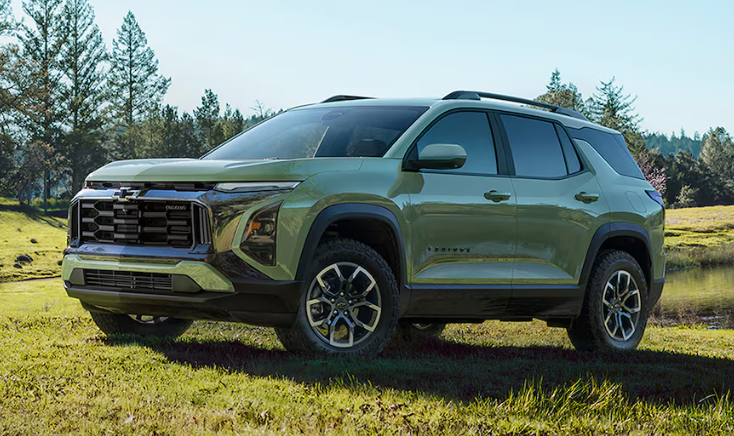
2026 Equinox in green

Chevy Tire Pressure Guide | Recommended PSI for Every Model

Tire pressure is one of those things most drivers ignore until something goes wrong. But staying on top of it is genuinely one of the easiest ways to protect your Chevy, your wallet, and your safety. Whether you're hauling gear in a Silverado 1500 or running school drop-offs in a new Equinox EV, knowing the right PSI for your specific model makes a real difference in how your tires perform and how long they last. If you'd rather let a professional handle it, you can schedule a tire service appointment with our team at Turan-Foley Chevrolet Buick. This guide covers every major 2026 Chevy model, explains where to find your recommended specs, and walks you through what to do when that Tire Pressure Monitoring System (TPMS) light comes on. Why Correct Tire Pressure Matters for Your Chevy Running tires at the wrong pressure creates problems that compound quietly over time. An underinflated tire flexes more with every rotation, building heat and wearing rubber unevenly along the outer edges. An overinflated tire rides on a smaller contact patch, reducing grip and chewing through the center tread faster than it should. Both extremes hurt fuel economy. Tires running below the recommended pressure level can force the engine to burn up to 3% more fuel due to increased rolling resistance. Correct pressure keeps your Chevy handling predictably, braking responsively, and burning fuel efficiently. Where to Find Your Chevy's Recommended PSI (Not the Tire Sidewall) A common mistake is reading the PSI number stamped on the tire sidewall and treating it as the target. That number is the maximum pressure the tire can safely hold, not the pressure your vehicle is designed to run. Inflating to the sidewall max will almost certainly result in overinflation. Your Chevy's actual recommended tire pressure lives in two places. First, check the sticker inside the driver-side door jamb, which lists the correct front and rear PSI for your specific model and trim. Second, your owner's manual covers this too, including any variations for towing or heavy load configurations. Those are the only numbers you should rely on. This guide reflects 2026 baseline specs, so always confirm against your door placard before inflating. Understanding the Chevy TPMS Warning Light Every modern Chevy comes with a TPMS. Sensors inside each wheel monitor real-time pressure and alert you when something drops below the threshold. One detail a lot of drivers miss: the TPMS warning light typically doesn't trigger until you're around 25% below the recommended PSI. Your tires can be meaningfully underinflated before any warning appears. A monthly manual check with a gauge is really the only reliable way to catch gradual pressure loss early. When the light does come on, check all four tires with a gauge and inflate accordingly. If it stays on after you've corrected the pressure, a sensor may need servicing. Our tire inspection and TPMS service team can diagnose and reset the system during a routine visit. 2026 Chevy Recommended Tire Pressure by Model The table below reflects Chevrolet's 2026 baseline specifications. Use it as a quick reference, then confirm your exact PSI on the driver-side door placard or in your owner's manual. Model Recommended PSI Notes Trax 35 PSI Front and rear Trailblazer 35 PSI Front and rear Equinox 35 PSI All trims; some trims may allow up to 38 PSI depending on tire size, verify on door placard Equinox EV 35 PSI Same as gas model despite EV drivetrain Blazer 35 PSI Baseline; confirm trim-specific variation on door placard Blazer EV 35 PSI Baseline; confirm trim-specific variation on door placard Traverse 35 PSI Front and rear Tahoe 35 PSI Base trim: 275mm tires, 55% aspect ratio Suburban 35 PSI Front and rear Colorado 35 PSI 265mm tires, 70% aspect ratio Silverado 1500 35 PSI Standard load; higher load/towing: confirm on door placard Silverado 2500 60-75 PSI Varies by configuration and payload Silverado 3500 60-80 PSI Varies by configuration and payload Silverado EV 61 PSI Elevated due to battery pack weight Corvette (all variants) 30 PSI Stingray: 245mm/40%; Z06: 285mm/30%; Stingray Z51 Package: 245mm/35%; all require 30 PSI 2026 Chevy Tire Pressure Considerations by Model Compact SUVs: Trax and Trailblazer Both the Trax and Trailblazer call for 35 PSI across all four tires. Straightforward enough, but the door placard is still the definitive reference since wheel size can vary slightly by trim. Keeping these compact SUVs properly inflated preserves the responsive handling and fuel efficiency they're built for. Midsize SUVs: Equinox, Equinox EV, Blazer, and Blazer EV The Equinox runs at 35 PSI across most trims, though some configurations allow up to 38 PSI depending on tire size. Check your door placard to confirm which applies to your build. The Equinox EV holds the same 35 PSI as the gas model, which surprises some EV owners who expect the battery pack's added weight to change things. The Blazer and Blazer EV follow the same 35 PSI baseline; verify any trim-specific differences on your door placard. Full-Size SUVs: Traverse, Tahoe, and Suburban The Traverse, Tahoe, and Suburban all use 35 PSI as a starting point. The Tahoe's base trim is fitted with 275mm tires at a 55% aspect ratio. When you're loading up one of these big SUVs for a road trip, the rear tires absorb more stress, and your owner's manual may recommend adjusting rear pressure accordingly. Stability at highway speeds depends on tires that are properly inflated, full stop. Trucks: Colorado, Silverado 1500, Silverado HD, and Silverado EV Truck tire pressure is where things get genuinely complex. The Colorado uses 35 PSI on 265mm tires with a 70% aspect ratio. The Silverado 1500 also runs 35 PSI under standard load, but towing or carrying heavy cargo can require a different spec. Check your door placard for the load-rated value, which also depends on whether your tires are LT or P-metric. The Silverado 2500 and 3500 involve a significant jump: 60-75 PSI and 60-80 PSI respectively, depending on configuration and payload. That range is intentional. Heavy-duty trucks are rated to haul and tow substantially more weight, and their tires are engineered to handle it only when inflated to spec. The Silverado EV runs at 61 PSI, elevated specifically to account for the battery pack's extra weight compared to gas models. For any Silverado variant, treat the door placard and owner's manual as required reading before you add air. Corvette: Stingray, E-Ray, Z06, ZR1, and ZR1X All Corvette variants call for 30 PSI, despite real differences in tire size across trims. The Stingray uses 245mm tires at a 40% aspect ratio; the Z06 runs 285mm tires at 30%; the Stingray Z51 Package uses 245mm at 35%. Some variants use staggered front and rear sizes, so these spec differences matter when you're standing at the valve. The E-Ray's hybrid drivetrain adds weight that factors into the setup as well. With any Corvette, the owner's manual isn't optional. How to Check and Adjust Tire Pressure on Your Chevy Always check tire pressure when the tires are cold, meaning before driving or after the vehicle has been parked for at least three hours. Driving heats the air inside and raises the reading, giving you a false high number. Remove the valve cap, press a gauge firmly onto the valve stem, and compare your reading to the door placard. If the tire is low, add air in short bursts and check frequently. If it's overinflated, press the center pin on the valve stem to release air slowly. Check all four tires and your spare while you're at it. One thing worth remembering: even a severely underinflated tire can look perfectly fine to the naked eye. Only a gauge tells you what's actually going on. How Often Should You Check Your Chevy's Tire Pressure Check tire pressure monthly and before any long road trip. Tires naturally lose about 1 PSI per month under normal conditions, and temperature swings speed that up. For every 10°F drop in ambient temperature, pressure falls by roughly 1 PSI. This matters especially on the Mississippi Gulf Coast, where summer heat pushes into the upper 90s and seasonal swings are real. Gulf Coast heat causes pressure to rise; cooler months pull it back down. Drivers in the Gulfport area should check monthly year-round and pay close attention during seasonal transitions. Check any time you're hauling heavier loads than usual too, which applies directly to Silverado and Suburban owners who tow regularly. Visit Turan-Foley Chevrolet for Tire Pressure and TPMS Service When to Bring It to Us Getting tire pressure right on your own is completely doable. That said, some situations really do call for professional attention. If your TPMS light keeps returning after you've inflated your tires, a sensor may be failing. Uneven tread wear is another sign that a rotation and pressure reset from a trained technician could extend your tire life significantly. And if you're not sure which PSI applies to your specific trim, a quick visit removes the guesswork entirely. Serving Gulfport and the Mississippi Gulf Coast We serve Gulfport, MS and the surrounding Gulf Coast communities, including Biloxi, Long Beach, and Bay St. Louis. Our factory-trained service team handles tire pressure checks, rotations, full TPMS diagnostics, and sensor replacement using genuine GM parts. Schedule Service or Contact Our Team Whether you're maintaining a new Silverado 1500, a pre-owned Equinox, or a Corvette that needs performance-spec tire care, we're here to help. Schedule a tire service appointment online, or contact us if you'd prefer to call or message our team directly. You'll find us at 11123 Hwy 49N, Gulfport, MS 39503.

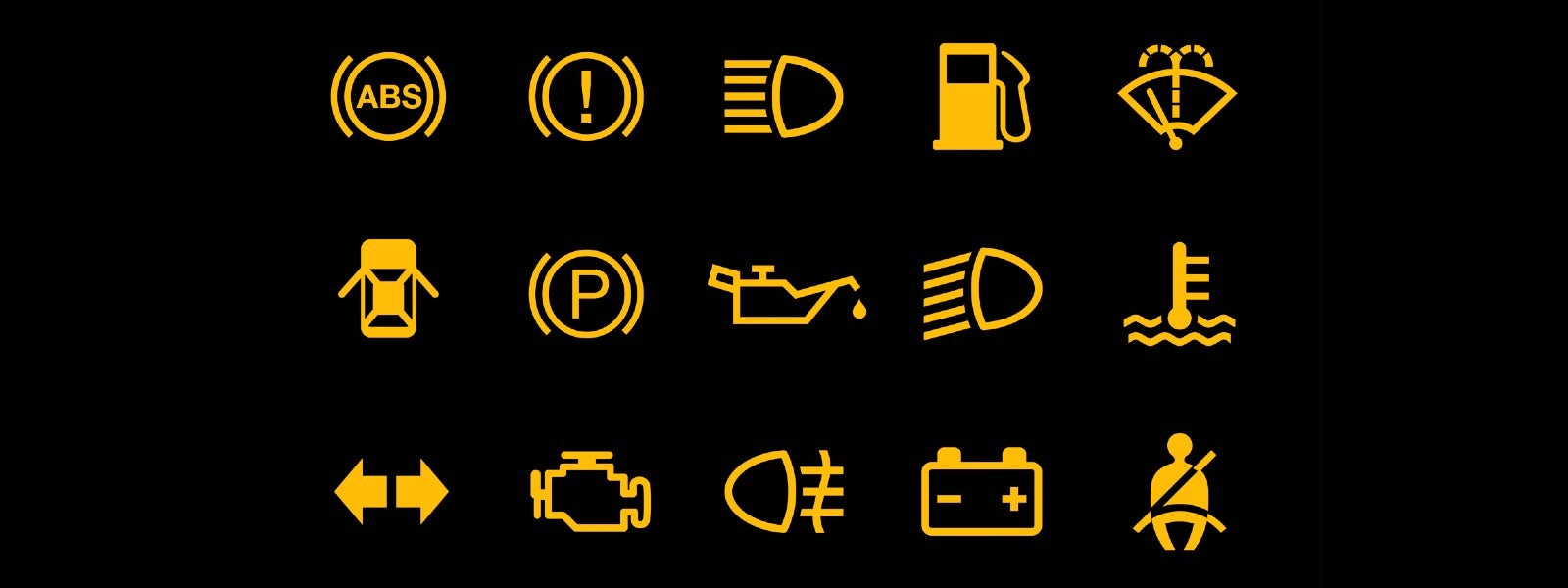
chevy dashboard symbols and warning lights

Chevy Warning Lights Guide | Dashboard Symbols & Meanings

Your Chevy's dashboard is basically a conversation between you and your vehicle. When a light pops on, it's flagging something that needs your attention, whether that's right now or sometime in the next few days. Knowing what those Chevy warning lights actually mean can be the difference between catching a small problem early and facing a major repair bill, or worse, getting stranded on the highway. If a light is already on while you're reading this, you can schedule a diagnostic appointment with our team right away. This guide covers the most common Chevy dashboard symbols and what they mean, so you can respond with confidence. We serve drivers throughout the Gulfport, MS area, and we want you walking into our service bay already informed. What Chevy Dashboard Warning Light Colors Actually Mean Before getting into individual symbols, understanding the color system makes everything else click. Chevy dashboard lights follow a traffic light logic, and once you internalize it, reading your dashboard becomes second nature. Red: Critical. Stop or pull over as soon as it's safe Yellow/Orange: Caution. Service needed soon, but not necessarily an emergency Green/Blue: Informational. A system is active or ready, no problem indicated Gray: A system is in standby mode The color shapes your first response. Red means pull over. Yellow means get it scheduled. Chevy Warning Light Quick Reference Use this table for a fast overview before diving into the detailed entries below. Keep in mind that some indicators vary by model year and trim, so always check your owner's manual for vehicle-specific information. Symbol Name Color What It Means Urgency / Action Engine Oil Pressure Red Engine not receiving adequate oil flow; severe damage possible within minutes Pull over immediately, turn off engine Engine Coolant Temp Red Engine overheating; low coolant, failing fan, or thermostat issue Pull over, do not open radiator cap while hot Brake System Red Braking system malfunction; low fluid, leak, or ABS failure Stop driving; tow if brakes feel soft Battery/Charging Red Charging system failure; alternator or electrical issue Turn off non-essentials, drive directly to service Check Engine (MIL) Yellow/Orange Onboard diagnostic detected engine, emissions, or propulsion fault Schedule service; flashing = severe misfire, tow immediately TPMS Yellow/Orange One or more tires below recommended pressure Check and inflate tires; if light persists, possible slow leak or faulty sensor Transmission Temp / Turtle Icon Yellow/Orange Transmission overheating or reduced propulsion power Reduce speed, avoid towing, schedule service soon ABS Amber/Yellow ABS not functioning; standard brakes should still work Diagnose promptly Airbag (SRS) Red or Amber Airbag(s) may not deploy in a crash, or in rare cases could deploy unexpectedly; seat belt pretensioners may also fail to restrain properly Schedule service immediately Traction Control Amber System off or malfunctioning; reduced grip in slippery conditions Schedule service soon Super Cruise Green light bar Driver assistance system actively steering Informational only Red Warning Lights: Stop or Pull Over as Soon as It's Safe Red dashboard warning lights are your vehicle's most urgent signals. Something critical is compromised, and pushing through it could cause serious damage or create a real safety hazard. Engine Oil Pressure Warning Light This one looks like an old-fashioned oil can. It means oil pressure has dropped to a dangerously low level, and without adequate pressure, engine components aren't being properly lubricated. Metal-on-metal contact can cause irreversible damage within minutes. Pull over as soon as it's safe, shut the engine off, and check your oil level. If the oil looks fine, you may be dealing with a failing oil pump, which needs professional diagnosis before you drive another mile. Engine Coolant Temperature Warning Light Usually displayed as a thermometer submerged in liquid, this warning means your engine is overheating. Coolant loss, a broken thermostat, or a faulty radiator are the usual suspects. Left unaddressed, overheating can warp cylinder heads and lead to complete engine failure. Pull over, turn the engine off, and let it cool before checking coolant levels. Never open the radiator cap on a hot engine. Brake System Warning Light This light can mean your parking brake is still engaged, brake fluid is low, or there's a malfunction somewhere in the braking system. If the parking brake isn't the cause, don't brush it off. Brakes are your primary safety system, and any compromise demands immediate attention. If braking feels spongy or unresponsive, pull over carefully and call for service. Battery and Charging System Warning Light Shaped like a battery, this indicator signals that your vehicle's electrical system isn't charging properly. A failing alternator, a dying battery, or a broken drive belt are common culprits. Your car depends on that charging system to keep everything running; ignoring this light could leave you stranded without much warning. Turn off non-essential electronics and drive directly to a service facility. Yellow and Orange Warning Lights: Schedule Service Soon Yellow and orange lights don't require you to pull over immediately, but they do mean something needs attention in the near term. These are the lights drivers sometimes dismiss for weeks, and that's typically when small problems turn into expensive ones. Check Engine Light (Malfunction Indicator Lamp) The MIL can represent anything from a loose gas cap to a misfiring cylinder. A steady light typically points to a non-urgent issue with the engine or emissions system. A flashing check engine light is a different story; it indicates an active engine misfire that can damage your catalytic converter, so that warrants immediate action. Either way, don't let it sit. A diagnostic scan will pinpoint the exact fault code triggering the alert. Tire Pressure Monitoring System (TPMS) Light That horseshoe-shaped symbol with an exclamation point inside means one or more tires is significantly underinflated. Low tire pressure affects fuel efficiency, handling, and braking, and it causes tires to wear out faster than they should. Check all four tires with a gauge and inflate them to the recommended PSI listed on the sticker inside your driver's door jamb, not the maximum pressure printed on the tire sidewall. If the TPMS light stays on after inflating, the sensor may need to be reset or replaced. Transmission Temperature and Other Amber Alerts A transmission temperature alert means your transmission fluid is running hotter than it should, which can happen during heavy towing or prolonged stop-and-go traffic in extreme heat. The turtle icon is a separate issue; it means your vehicle has entered reduced propulsion mode, limiting power output to protect the drivetrain. Reduce speed, avoid towing, and get it into service soon. Other common amber indicators include low fuel warnings, service reminders, and stability system alerts. None are emergencies, but staying on top of them keeps minor issues from escalating. Safety System Warning Lights: What ABS, Airbag, and Traction Control Symbols Mean Safety system lights deserve their own section because they affect how your vehicle protects you in an emergency. ABS, SRS, and ESC systems all affect crashworthiness and require certified technician service, so these should be evaluated by our service department at Turan-Foley Chevrolet Buick. The ABS light means a sensor or module has detected a fault in the anti-lock braking system. Your regular brakes will still function, but the feature that prevents wheel lockup during hard stops may not engage. That distinction matters quite a bit on wet or icy roads. The airbag readiness light, labeled SRS, indicates a potential fault in the supplemental restraint system. It doesn't mean the airbag will deploy unexpectedly in most cases, but the system may not deploy correctly in a collision - and in rare cases, a fault could cause unexpected deployment. Seat belt pretensioners may also be unable to restrain properly on impact. Get it diagnosed promptly. The traction control and ESC lights work a bit differently. A brief flash of the StabiliTrak icon (which shows a car with squiggly lines behind it) typically means the system is actively correcting for traction loss, which is normal operation. A light that stays on usually means the system has been disabled or has a fault. If stability control turns off without you disabling it manually, have it checked before you end up in conditions where you'll actually need it. Informational Indicator Lights: Nothing to Worry About Not every light on your dashboard is a warning. Many are simply notifications telling you something is active or operating normally. Turn signal indicators, high beam notifications, cruise control status, and eco mode lights all fall into this category. The low fuel indicator sits somewhere in the middle. Not an emergency, but it means find a gas station soon. Door ajar and trunk open indicators are similarly straightforward reminders. Getting familiar with these informational lights helps you quickly separate routine notifications from the ones that actually need action. What to Do When a Warning Light Comes On in Your Chevy Seeing a light appear on your dashboard can be startling. Having a clear plan keeps the situation manageable. For a red warning light, pull over somewhere safe and turn off the engine. Figure out whether you can identify the cause, such as low oil or an engaged parking brake, or whether you need to call for roadside assistance. Don't keep driving and hope it clears on its own. For yellow or orange warning lights, you generally have time to drive carefully to your destination, but schedule service soon rather than putting it off. Your owner's manual is a solid first resource for identifying specific symbols. Chevy vehicles also display brief descriptions of many dashboard warning lights in the Driver Information Center, the display screen between your gauges. If a light appears and then disappears quickly, it may have been triggered by a brief system fluctuation. If it returns, treat it the same as a persistent light. Our team can perform a professional OBD diagnostic scan to retrieve the exact fault codes stored in your vehicle's system. Schedule service online to get the process started before your appointment. Schedule Service at Turan-Foley Chevrolet in Gulfport When a Light Stays On Why Certified Diagnostics Matter When a warning light's meaning isn't clear, or when a warning persists after you've addressed the obvious cause, it's time to bring your vehicle to technicians who know these trucks and cars inside and out. Our certified team at Turan-Foley Chevrolet Buick uses professional GM diagnostic equipment to identify root causes, not just clear codes. Book Your Appointment Ignoring dashboard warning lights is never the right call. When our Gulfport service team is nearby, staying ahead of problems is straightforward. Contact us or schedule your service appointment today and get the peace of mind that comes with knowing exactly what's going on with your vehicle.

dog running on beach

Dog Friendly Beaches in Gulfport, MS

Planning a beach day with your dog around Gulfport takes a little extra preparation. While the Mississippi Gulf Coast is full of beautiful sandy views, not every beach allows pets. In fact, Harrison County beaches, including Gulfport, Biloxi, Long Beach, Pass Christian, and Henderson Point, generally prohibit pets, so it is important to know where to go before you load up the leash, water bowl, and towels. The good news is that dog-friendly coastal spots are still within reach for Gulfport drivers. From Ocean Springs to Dauphin Island, there are several places where you and your pup can enjoy salty air, open views, and a relaxed Gulf Coast outing. Before you head out, make sure your vehicle is ready for the drive. If you need something roomier for beach bags, dog crates, and weekend gear, you can browse the new Chevy inventory or used vehicles at Turan-Foley Chevrolet. Ocean Springs Front Beach Ocean Springs Front Beach is one of the most convenient dog-friendly beach options for Gulfport-area residents willing to cross over toward Jackson County. The beach sits near the Ocean Springs Yacht Club and Fort Maurepas City Park, giving it a relaxed local feel with white sand, waterfront views, and nearby green space. Visit Mississippi notes that Ocean Springs has two public beaches, Front Beach and East Beach, and that leashed dogs are allowed. This is a strong choice if you want a beach outing that still feels close to town. You can stroll with your dog, take in views across the water, and enjoy the laid-back Ocean Springs atmosphere before grabbing food or exploring nearby shops. Bring waste bags, fresh water, and a leash, and check posted signs when you arrive in case rules have changed. Ocean Springs East Beach East Beach in Ocean Springs is another popular option for dog owners looking for more space and a quieter shoreline feel. Visit Mississippi describes East Beach as a three-mile white-sand beach located across the Ocean Springs Small Craft Harbor from Front Beach. For Gulfport drivers, East Beach can feel like a mini day trip without going too far from home. The open stretch of sand makes it easy to enjoy a long walk, and the slower pace is ideal if your dog does better away from heavier crowds. As with any pet-friendly beach, plan around the heat. Morning or later afternoon visits are usually more comfortable for paws, especially during the warmer Gulf Coast months. Davis Bayou Area at Gulf Islands National Seashore Davis Bayou is not a traditional swimming beach, but it is one of the best pet-friendly outdoor alternatives near Gulfport for dog owners who want a coastal nature experience. The National Park Service describes the Davis Bayou area near Ocean Springs as featuring a campground, visitor center, boat launch, trails, boardwalks, picnic areas, and wildlife-viewing opportunities. This is a great pick if your dog enjoys sniffing around trails more than splashing in the surf. Dogs are not allowed on all park beaches or inside certain facilities, but pet-friendly areas at Davis Bayou can still make for an enjoyable outdoor visit when you follow leash rules and posted guidance. Recreation.gov states that pets at Davis Bayou Campground must be on a leash no longer than six feet, and owners must clean up after them. Dauphin Island Public Beach If you are up for a longer drive from Gulfport, Dauphin Island is one of the region’s best-known dog-friendly beach destinations. The Town of Dauphin Island says dogs are allowed on the beach except for West End Beach, where pets are prohibited due to critical bird nesting habitats. The town also notes that dogs must be properly restrained under its island-wide leash law, and owners must clean up after their pets. Dauphin Island works well for a fuller weekend-style outing. The drive is longer than Ocean Springs, but the payoff is a true beach day with room to relax, walk, and enjoy the water with your dog. Since this is a bigger trip, it is worth checking your tires, fluids, and air conditioning before leaving Gulfport. The service team at Turan-Foley Chevrolet can help make sure your vehicle is ready for longer coastal drives. Tips for a Better Dog-Friendly Beach Day No matter which beach or coastal spot you choose, a little planning makes the day easier. Pack a leash, collapsible water bowl, extra water, towels, waste bags, and a shaded place for breaks. Sand can get hot quickly, so test it with your hand before letting your dog walk for long stretches. If your dog is new to the beach, keep the first visit short and choose a quieter time of day. It is also smart to confirm beach rules before every visit. Pet policies can change because of wildlife protection, seasonal restrictions, maintenance, or local ordinances. When in doubt, follow posted signs and choose another nearby coastal park if pets are not permitted. Find the Right Chevy for Gulf Coast Adventures Dog-friendly beach trips are part of what makes life on the Mississippi Gulf Coast so enjoyable. While Gulfport’s own beaches may not be the best place to bring your pup, nearby destinations like Ocean Springs and Dauphin Island give local drivers plenty of ways to enjoy the shoreline together. Before your next beach day, visit Turan-Foley Chevrolet in Gulfport. Whether you need a spacious SUV, a dependable truck, a budget-friendly used vehicle, or routine service before your next road trip, our team is here to help you find a vehicle that fits your life, your weekends, and your four-legged co-pilot.

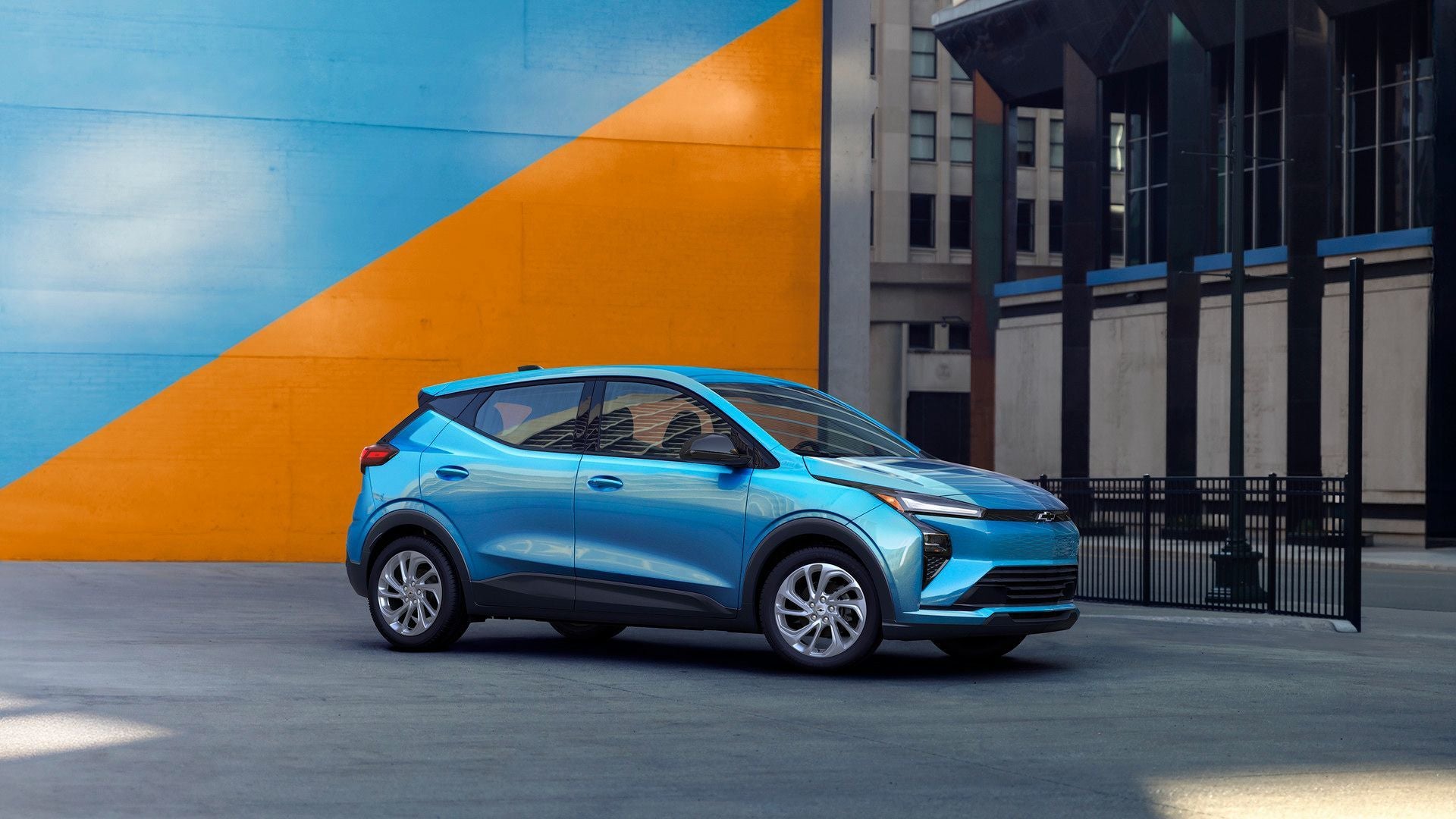
2027 chevy bolt

What's New With the 2027 Chevy Bolt?

The Chevy Bolt is back, and for Gulfport drivers who have been waiting for a practical, affordable electric vehicle from Chevrolet, that is big news. There is one quick detail worth clearing up first: while many shoppers are searching for the 2026 Chevy Bolt, Chevrolet’s revived model is officially the new 2027 Bolt. Since it began arriving in 2026, it makes sense that drivers are using both names while researching what changed. For shoppers near Gulfport, Biloxi, Long Beach, Ocean Springs, and Hattiesburg, the new Bolt brings back one of Chevrolet’s most approachable EV nameplates with meaningful updates to charging, technology, design, and everyday usability. If you are comparing your electric options now, you can also browse the current selection of new Chevy EVs in Gulfport, MS at Turan-Foley Chevrolet. The Chevy Bolt Returns With a More Modern EV Formula The Bolt built its reputation as a sensible electric car for drivers who wanted EV range without jumping into a premium price range. The returning Bolt keeps that practical spirit, but Chevrolet has updated the formula for the current EV market. Instead of feeling like a continuation of the older Bolt, the new model is designed to feel more current from the start. It has updated exterior styling, a more refined cabin, new technology, improved charging capability, and a stronger focus on value. That combination should make it especially appealing for drivers who want to move into an EV without overcomplicating the buying process. It also gives Chevrolet another important entry in its electric lineup. Larger EVs like the Blazer EV, Equinox EV, and Silverado EV serve shoppers who want more space or capability, while the Bolt fills the role of a smaller, efficient, easy-to-live-with electric vehicle. Faster Charging Is One of the Biggest Improvements Charging speed was one of the areas where the previous Bolt started to feel behind newer EVs. The returning Bolt addresses that directly with available 150 kW+ public DC fast charging capability. Chevrolet says this allows the Bolt to charge from 10% to 80% in about 25 minutes when connected to a compatible DC fast charger. That is a major improvement for drivers who want to use an EV beyond short daily trips. Around the Mississippi Gulf Coast, most drivers will still do much of their charging at home when possible, but faster public charging makes weekend plans, errands around Biloxi, or longer regional drives feel more manageable. The Bolt is also the first Chevy EV to feature a native NACS charge port. That matters because it can help expand access to more public charging options, including compatible stations in the growing North American charging network. A Redesigned Interior Makes the Bolt Feel More Grown Up Inside, the new Bolt gets a much-needed refresh. Chevrolet highlights a spacious, redesigned interior with large digital screens and a more modern layout. The cabin includes an 11.3-inch infotainment screen and an 11-inch driver display, giving the Bolt a more advanced feel than older versions. This is especially important because EV shoppers tend to expect a tech-forward cabin. The Bolt’s updated layout should help it feel more competitive with newer electric vehicles while still staying focused on simplicity and usability. For everyday driving, the goal is not just to add screens for the sake of adding screens. The redesigned cabin should make information easier to see, controls easier to use, and the overall experience more polished for commuting, school drop-offs, grocery runs, and longer drives. The First-Ever Bolt RS Adds a Sportier Option Another major change is the addition of a Bolt RS trim. Chevrolet has used the RS badge across several models to give shoppers a sportier-looking option, and the Bolt now joins that group. The Bolt RS brings a more athletic design personality to the lineup with details like black wheels, gloss black roof rails, and unique styling cues. It gives shoppers another way to choose a Bolt that feels more expressive without needing to move into a larger or more expensive EV. That is a smart move for Chevrolet. Some EV shoppers want maximum efficiency and value, while others want a small electric vehicle that still has a little personality. The RS trim helps the Bolt cover both sides of that conversation. Safety and Driver Assistance Tech Stay Front and Center Chevrolet says the new Bolt includes more than 20 standard safety and driver assistance features. That is a strong selling point for shoppers who want an EV that feels modern but still practical for family life, commuting, and daily errands. Available Super Cruise is another feature to watch. Super Cruise is GM’s hands-free driver assistance technology for compatible roads, and its availability gives the Bolt a more premium technology angle than many shoppers might expect from an affordable EV. For Gulfport-area drivers who spend time on I-10 or other major routes, advanced driver assistance technology can make longer drives feel less tiring. As always, availability can vary by trim and timing, so shoppers should review the exact equipment on any incoming or in-stock Bolt with the team at Turan-Foley Chevrolet. The New Bolt Should Appeal to First-Time EV Buyers The Bolt has always made sense as an entry point into electric driving, and the updated version continues that role. Its smaller footprint should make it easy to park, maneuver, and use around town, while its improved charging technology makes it more flexible than before. It may be a strong fit for drivers who want: A practical daily commuter A lower-cost way to enter the EV market A small Chevrolet EV with useful range A vehicle that is easy to drive around Gulfport and Biloxi An alternative to gas for everyday errands and work commutes Drivers who are still comparing EV ownership costs can also connect with the Turan-Foley Chevrolet finance team. The dealership’s finance department can help shoppers review available options, and buyers can begin the process online with the get pre-approved form. How the Bolt Fits Into Chevrolet’s EV Lineup The Bolt does not need to be the biggest or flashiest EV in Chevrolet’s lineup to matter. In fact, its role is almost the opposite. It gives Chevy shoppers a smaller and more affordable electric option while larger models handle different needs. The Equinox EV is a strong choice for shoppers who want SUV practicality. The Blazer EV offers a bolder, more performance-focused personality. The Silverado EV is built for drivers who need truck capability with electric power. The Bolt, meanwhile, is the approachable option for drivers who want to keep things simple. That makes it a valuable part of Chevrolet’s EV strategy. Not every driver needs a large electric SUV or truck. Some just want an efficient, modern, affordable EV that feels easy to own. EV Maintenance Should Be Simpler, Too Another reason shoppers are interested in the Bolt is the ownership experience. Electric vehicles do not require many of the same routine services as gas-powered vehicles. There are no traditional oil changes, spark plugs, exhaust components, or engine air filters to worry about. That does not mean EVs are maintenance-free, though. Tires, brakes, cabin air filters, battery health checks, software-related service, and inspections still matter. Turan-Foley Chevrolet offers EV service and maintenance, making it easier for local Chevy EV owners to care for their vehicles with support from trained technicians. When it is time for service, drivers can also use the online tool to schedule service in Gulfport. Is the New Chevy Bolt Worth Waiting For? For many shoppers, yes. The returning Chevy Bolt brings back the qualities that made the original so appealing while fixing some of the areas where it needed to improve. Faster charging, native NACS compatibility, a redesigned interior, available RS styling, and updated technology all make the new Bolt feel more relevant for today’s EV market. It should be especially appealing for drivers who want an electric vehicle that feels practical rather than intimidating. The Bolt is not trying to be a luxury EV or a massive electric truck. It is designed to be an attainable Chevy EV for everyday life. If you are interested in the new Bolt or want to compare it with other Chevrolet electric vehicles, visit Turan-Foley Chevrolet in Gulfport. You can explore new Chevrolet inventory, browse new Chevy EVs, or contact the team to learn more about current and upcoming availability.

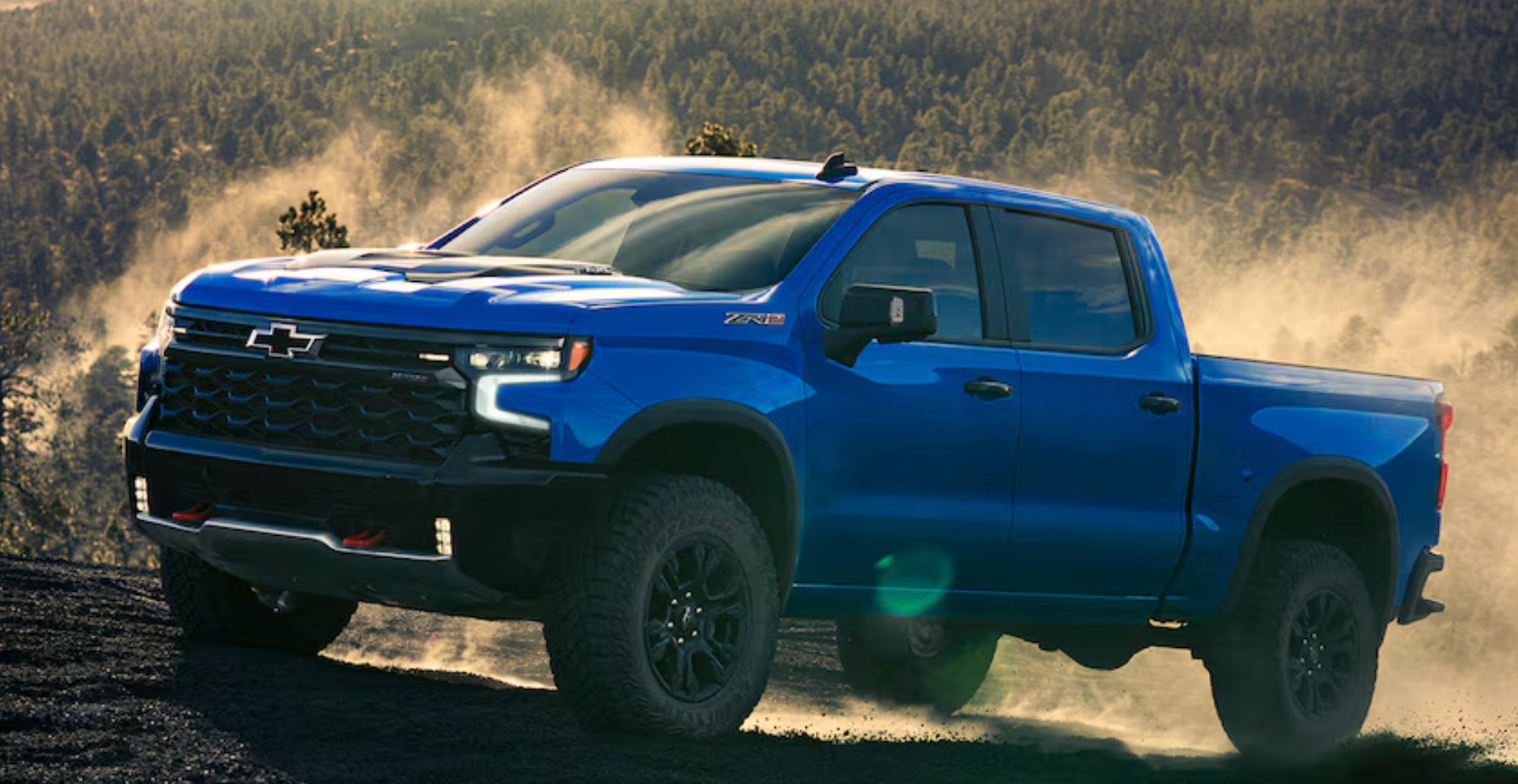
Silverado 1500 in Blue

Which Chevy Vehicles Are Made in the USA?

Chevrolet has been building vehicles in America for well over a century, and that history still shows up on factory floors across the country today. If you've ever wondered whether Chevy is an American brand in more than just name, the honest answer is: largely yes, with some nuance. Many of the most popular models in the lineup roll off assembly lines right here in the United States. Not every Chevy is built domestically, though, and understanding the difference matters more than most buyers realize. Browse our new Chevy inventory if you're ready to see which American-assembled models are available right now. What "Made in the USA" Really Means for Chevy Vehicles When people ask "is Chevy American made?" they're usually picturing a vehicle conceived, built, and finished entirely on U.S. soil. Modern auto manufacturing is more layered than that. Even vehicles assembled in American plants draw on parts sourced from international suppliers. Engines, transmissions, electronics, and raw materials often cross multiple borders before a vehicle reaches the showroom floor. That doesn't undercut the value of domestic assembly, though. When a Chevrolet is assembled in the U.S., American workers are doing the hands-on work, quality checks happen under U.S. regulatory standards, and local economies benefit directly. For many buyers, that's precisely the kind of manufacturing support they're after. So while "Chevy vehicles made in the USA" doesn't mean every single component originated here, it does mean something real about where the vehicle was built and who built it. Throughout this article, we're talking specifically about assembly location, not making a broad claim that every part is American-made. Chevy Vehicles Assembled in the United States General Motors assembles a wide range of Chevrolet vehicles within U.S. borders, spanning trucks, full-size SUVs, vans, and specialty models. The table below gives a clear picture of where each U.S.-assembled model is built. Model Assembly Plant City, State Segment Notes Chevrolet Colorado Wentzville Assembly Wentzville, MO Truck Chevrolet Express Wentzville Assembly Wentzville, MO Van Chevrolet Silverado HD (2500HD, 3500HD) Flint Truck Assembly Flint, MI Truck Chevrolet Silverado 1500 Fort Wayne Assembly Fort Wayne, IN Truck Some configurations built in Silao, Mexico and Oshawa, Canada Chevrolet Traverse Lansing Delta Township Assembly Lansing, MI SUV Chevrolet Tahoe Arlington Assembly Arlington, TX Full-Size SUV Chevrolet Suburban Arlington Assembly Arlington, TX Full-Size SUV Chevrolet Corvette (incl. ZR1) Bowling Green Assembly Bowling Green, KY Sports Car Chevrolet Silverado EV Factory ZERO (Detroit-Hamtramck Assembly) Detroit-Hamtramck, MI EV Truck Production temporarily paused Trucks, Vans, and Everyday Work Vehicles The Silverado 1500 is assembled at Fort Wayne Assembly in Fort Wayne, Indiana, making it one of the more prominent examples of a domestically built Chevy. That said, some configurations are also built at Silao Assembly in Mexico and Oshawa Assembly in Canada, so assembly origin can vary depending on the specific cab style and trim. If U.S. assembly is a priority for you, it's worth verifying the VIN before purchasing. The heavy-duty Silverado 2500HD and 3500HD are built at Flint Truck Assembly in Flint, Michigan. Engineered for demanding work, these trucks are a natural fit for domestic production given the working drivers who depend on them. The Colorado midsize truck and the Express cargo and passenger van both come out of Wentzville Assembly in Wentzville, Missouri. Contractors, small business owners, and families rely on both vehicles regularly, and their consistent domestic assembly lines up with the toughness and reliability they're known for. Full-Size SUVs Built on American Soil General Motors assembles the Tahoe and Suburban at Arlington Assembly in Arlington, Texas. These are two of the most recognized names in the full-size SUV segment, offering spacious interiors, serious towing capacity, and genuinely modern technology. Their American production supports quality control aligned with U.S. safety standards. The Traverse, Chevy's three-row crossover, is assembled at Lansing Delta Township Assembly in Lansing, Michigan. It's a popular choice for families who want the room of an SUV without the full footprint of a Tahoe or Suburban, and its domestic assembly is a real draw for buyers who care about where their vehicle was built. You can explore available Traverse models and other U.S.-assembled options in our new Chevy inventory. The Corvette and Silverado EV: Specialty and Electric The Corvette, including the ZR1, is built at Bowling Green Assembly in Bowling Green, Kentucky. Each one is assembled with the kind of precision that comes from skilled craftspeople working on a performance vehicle with genuine legacy behind it. For buyers who see the Corvette as the ultimate expression of American engineering, knowing it's hand-assembled in Kentucky only deepens that connection. The Silverado EV is assembled at Factory ZERO (Detroit-Hamtramck Assembly) in Detroit-Hamtramck, Michigan, a facility purpose-built for electric vehicle production. Production is currently on a temporary pause, so we're not including it in active inventory recommendations at this time. Which Chevy Models Are Assembled Outside the United States? Not every Chevy is assembled domestically, and it's worth knowing which ones aren't. Several popular models are built in Mexico or South Korea. The gas-powered Equinox is assembled at San Luis Potosi Assembly in Mexico. Both the Equinox EV and Blazer EV are assembled at Ramos Arizpe Assembly, also in Mexico. The gas-powered Blazer is currently built outside the U.S. as well, though GM has announced it will move to Spring Hill Manufacturing in Tennessee starting in 2027. The Trax is built at GM's Changwon plant in South Korea, and the Trailblazer comes from GM's Bupyeong plant in Incheon. One model worth clarifying is the Bolt EV. It's assembled at Orion Assembly in Michigan using a mix of U.S. and globally sourced parts. Michigan-assembled, yes, but its global parts sourcing means it doesn't fit neatly into either category, and that distinction is worth being transparent about. None of this makes these vehicles lower quality. GM engineers and backs them to the same standards regardless of where assembly happens. But for buyers specifically asking about Chevy vehicles made in the USA to support domestic manufacturing, this context matters. How to Verify Where a Specific Chevy Was Built The most reliable tool for confirming where a specific Chevy was assembled is the Vehicle Identification Number (VIN). The first digit tells you the country of assembly. A "1" or "4" at the start indicates U.S. assembly. A "2" points to Canada, and a "3" indicates Mexico. You can use the NHTSA VIN decoder tool at nhtsa.gov to look up a vehicle's manufacturing origin. This is especially useful when shopping used vehicles or comparing two trims of the same model, since assembly locations can vary by configuration or production year. Digits 11 through 17 of the VIN identify the specific assembly plant. When you're shopping with us, just ask. Any member of our team can pull up the window sticker or VIN details right away. Does American Assembly Matter When You Buy a Chevy? Whether domestic assembly factors into your buying decision depends entirely on what you value. For some buyers, supporting American manufacturing is a genuine priority. Knowing that American workers assembled their truck or SUV creates a real sense of connection to the product and to the communities that rely on those jobs. For others, the vehicle itself is what drives the decision. Features, fuel economy, reliability ratings, and capabilities often take precedence over where final assembly happened. That's a completely valid way to shop. What's worth pointing out is that many of the vehicles people most want from Chevy are already assembled in the U.S. If you're in the market for a Silverado HD, a Tahoe, a Suburban, a Traverse, a Colorado, or a Corvette, you're already getting a domestically assembled vehicle. Supporting American manufacturing and getting a great truck or SUV don't have to be a trade-off here. Explore American-Assembled Chevy Models at Turan-Foley Chevrolet At Turan-Foley Chevrolet Buick, we're proud to serve Gulfport-area drivers with a strong selection of U.S.-assembled Chevrolet models. Our inventory regularly includes the Traverse from Lansing, Michigan; the Tahoe and Suburban from Arlington, Texas; the Colorado and Express from Wentzville, Missouri; and the Corvette from Bowling Green, Kentucky. These are vehicles built by American workers at verified domestic assembly plants, and we're happy to walk you through the details on any of them. We've been family-owned and operated on the Mississippi Gulf Coast for over 50 years, and we treat every customer like part of that family. Our team can answer your questions about assembly origin, pull up VIN information, and help match you with the right model for your needs. If knowing where your next vehicle was assembled matters to you, come see us. Browse our new Chevy inventory to see what's available, schedule a test drive to get behind the wheel, or contact us and let our team help you find an American-assembled Chevy that fits your life in Gulfport and beyond.

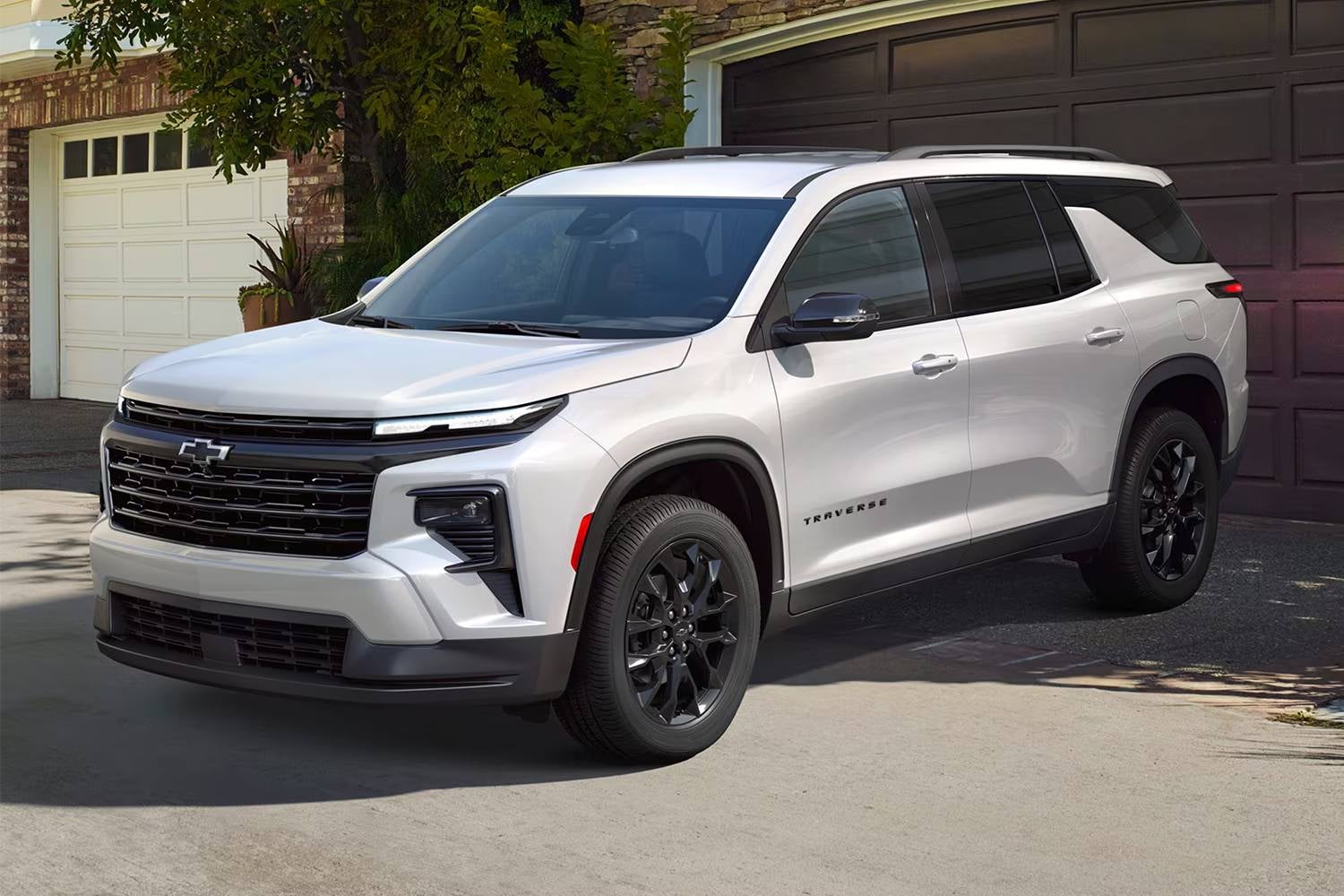
2026-traverse-design-02

Which Chevy SUVs Have a 3rd Row?

If you need third-row seating, Chevrolet gives you three real options: the 2026 Traverse, the 2026 Tahoe, and the 2026 Suburban. All three are genuine 3-row SUVs, but they differ quite a bit in size, seating capacity, and who they actually work for. At Turan-Foley Chevrolet Buick near Gulfport, we help buyers sort through this exact decision every day, so we put this guide together to make it a faster process. Browse our new vehicle inventory to see what's currently in stock, or keep reading to figure out which model actually fits your household. Quick clarification before we dig in: the Trax, Trailblazer, Equinox, and Blazer don't offer a third row. They're solid vehicles in their own right, but if third-row seating is non-negotiable, those four are out. The Traverse, Tahoe, and Suburban are the only Chevy SUVs with a 3rd row. Not Every Chevy SUV Has a Third Row - Here's What Does Each of the three 3-row models approaches the job from a different angle. The Traverse is a midsize unibody SUV built around everyday family practicality. The Tahoe is a full-size body-on-frame SUV that brings more power and a larger overall footprint. The Suburban takes that same full-size construction and stretches it further with an extended wheelbase, giving you the maximum in both passenger and cargo room. Once you understand those structural differences, picking the right one gets a lot simpler. 2026 Chevrolet Traverse: The Midsize 3-Row SUV for Growing Families The 2026 Traverse is Chevrolet's midsize entry in the 3-row category. It's the most maneuverable of the three, the easiest to park, and the one that fits most naturally into daily suburban life without ever feeling like you're piloting something too large. Seating Capacity and Who It Fits Best Seating actually varies by trim. The LT trim offers an available second-row bench that brings total capacity to eight passengers. Most other trims, including the Z71, RS, and High Country, come with second-row captain's chairs and seat seven. That distinction matters: if you consistently need that eighth seat, the LT is the one to focus on. The Traverse is the natural fit for growing families with younger kids, households where one vehicle handles both school runs and weekend road trips, and drivers who want a 3-row SUV that doesn't demand extra confidence to navigate a crowded parking garage. Wide door openings and a low step-in height are the kind of practical details that seem minor until you're buckling car seats twice a day. One honest note on the third row: 32.13 inches of legroom works fine for kids and shorter adults, but it's tight for taller adults on long drives. If your third row will regularly carry full-grown passengers on extended trips, the Tahoe or Suburban will serve them considerably better. Midsize Size, Real-World Space Cargo is one of the Traverse's strongest suits. Fold everything down and you've got 97.6 cu. ft. of space, which is genuinely impressive for a midsize. Double stroller, a week's worth of groceries, lacrosse gear for three kids, it all fits. Higher trims include power-folding third-row seats, which makes switching from passenger mode to cargo mode quick and painless. For families who are constantly loading and unloading, that feature becomes more useful than it sounds on paper. 2026 Chevrolet Tahoe: Full-Size Flexibility for Active Families Step inside the Tahoe after spending time in the Traverse and the difference is immediately obvious. The Tahoe is bigger, built on a body-on-frame platform, and designed to handle more in every direction: more passengers, more cargo, more demanding conditions. Seating Capacity and Who It Fits Best The 2026 Tahoe can seat up to nine passengers when the LS trim is configured with a front bench. Most other trims seat seven or eight depending on whether the second row has a bench or captain's chairs. That front-bench option is worth knowing about if you're regularly moving a larger group and need every available seat. The Tahoe is the right call for families with older kids who actually use the third row the way adults do, for households that need real legroom in all three rows, and for drivers who regularly tow a boat, camper, or trailer. Every row has noticeably more breathing room than in the Traverse, and the third row in particular is a meaningfully more comfortable place for adults on longer drives. If you want to schedule a test drive with the Tahoe and Traverse back-to-back, we can set that up. That kind of direct comparison tends to make the decision pretty clear for most people. When You Need More Than a Midsize Families who lead active lives and push their vehicles hard tend to gravitate toward the Tahoe for good reason. It handles demanding terrain, carries full loads without complaint, and the trim selection is broad enough that you can dial in exactly the features you want. For households that genuinely use their SUV hard, the full-size construction is a better long-term fit. 2026 Chevrolet Suburban: Maximum Space for Large Families and Long Hauls The Suburban is in its own category. It shares the Tahoe's full-size body-on-frame bones but adds an extended wheelbase, which translates directly to more interior length, more third-row space, and more cargo room behind that third row. Seating Capacity and Who It Fits Best Like the Tahoe, the 2026 Suburban seats up to nine on the LS trim with a front bench. Most trims seat seven or eight depending on second-row configuration. What sets the Suburban apart is what those passengers actually experience. The extended wheelbase gives third-row occupants noticeably more legroom than either the Traverse or the Tahoe. Adults can sit back there comfortably, which is genuinely rare in the SUV segment. The Suburban is built for large families with three or more kids, multi-generational households where grandparents and children are riding together regularly, and frequent long-distance travelers who aren't willing to trade passenger comfort for cargo capacity. It's also the right answer for anyone who needs to carry a full vehicle of people and still have meaningful cargo room to work with. The Case for Going Full-Size Plus The Suburban's reputation comes from what it lets you do simultaneously. You're not choosing between hauling nine people or hauling gear. You can do both. Road trips, team carpools, beach days on the Mississippi Gulf Coast where everyone shows up with coolers and equipment, the Suburban handles all of it without forcing compromises. For families who've outgrown everything else, it's often the logical endpoint. Traverse vs. Tahoe vs. Suburban: Side-by-Side at a Glance The table below uses verified 2026 model year data and puts the key differences right next to each other. Feature 2026 Traverse 2026 Tahoe 2026 Suburban Body Type Midsize unibody Full-size body-on-frame Full-size extended body-on-frame Max Seating 8 (LT w/ 2nd-row bench); most trims 7 9 (LS w/ front bench); most trims 7–8 9 (LS w/ front bench); most trims 7–8 Max Cargo Space 97.6 ft³ 122.7 ft³ 144.50 ft³ 3rd-Row Legroom 32.1 in 34.9 in 36.7 in Best For Growing families, daily versatility Active families, towing, full-size strength Large families, max passenger + cargo capacity Starting Trim LS LS LS The Traverse is the approachable, maneuverable choice for families who want a 3-row SUV without the full-size footprint. The Tahoe bridges everyday usability and serious capability in one package. The Suburban extends that further for households that simply need the most room available. All three are legitimate Chevy SUVs with a 3rd row. The right one comes down to how many people you regularly carry, whether adult comfort in the third row matters to you, and how much you demand from an SUV beyond moving passengers from point A to B. You can compare all three in our new vehicle inventory to check current availability and trim options. Which Chevy 3-Row SUV Is the Right Fit for You? Start with passenger count and how you actually use the third row. If your family is growing and you need something that handles school pickups, weekend errands, and the occasional road trip without feeling unwieldy, the Traverse is a strong starting point. It's manageable, genuinely capable on cargo, and the most practical fit for families with younger kids who aren't yet filling all three rows with adults. If your household regularly travels with older kids or adults filling every seat, or if towing is part of your regular routine, the move to full-size is worth making. The Tahoe's third row is meaningfully more comfortable for adult passengers than the Traverse's 32.1 inches allows, and the full-size construction gives the whole vehicle a more confident, capable character. For large families, frequent long-haul drivers, or anyone who simply refuses to leave people or gear behind, the Suburban answers all of it at once. It's not for everyone, but for the families it's built for, nothing else in the Chevrolet lineup even comes close. See These 3-Row Chevy SUVs in Person There's only so much that reading about these vehicles can tell you. Sitting in all three rows, checking how the third row folds, taking a model out on the road: that's usually where the decision actually gets made. We carry the Traverse, Tahoe, and Suburban at Turan-Foley Chevrolet Buick, so you can compare all three in one visit without driving all over the Gulf Coast. Come see us at 11123 Hwy 49N in Gulfport. We've been serving families across the Mississippi Gulf Coast for over 50 years, and whether you're ready to buy or just starting to narrow things down, we can walk you through trim configurations, seating options, and financing to make the whole process straightforward. Contact us ahead of your visit if you have specific questions or want to confirm availability on a particular model.

ice cream shop

Best Ice Cream Shops in Gulfport, MS

Gulfport, MS is the kind of place where an ice cream stop can fit into almost any day. Whether you are cooling off after time near the beach, treating the kids after school, or wrapping up dinner with something sweet, there are plenty of places around town to satisfy a craving. From classic cones and frozen custard to gourmet pops and Mexican-style frozen treats, Gulfport has a nice mix of options for locals and visitors alike. If you are looking for a fun dessert stop along the Mississippi Gulf Coast, these ice cream shops in Gulfport are worth keeping on your list. Chillville Creamery Chillville Creamery is a great place to start if you want a traditional ice cream shop experience with plenty of personality. This Gulfport favorite offers a welcoming atmosphere and a wide variety of flavors, making it a strong choice for families, couples, and anyone looking for a casual dessert outing. The menu has the kind of variety that makes it easy for everyone to find something they like. You can keep it simple with a classic scoop in a cone, build something more indulgent with toppings, or try a flavor you may not see everywhere else. It is the type of spot that works well after dinner, after a day of errands, or as a quick weekend treat. For drivers exploring Gulfport, Chillville Creamery is also easy to work into a relaxed afternoon around town. Grab a cone, take your time, and enjoy a sweet break from the heat. Pop Brothers Pop Brothers is a fun option for anyone who wants something a little different from a standard scoop of ice cream. Instead of traditional cones and cups, this shop specializes in handcrafted popsicles with creative flavors and refreshing combinations. The menu often includes fruit-forward options, creamy choices, and dipped pops for those who want something richer. That variety makes Pop Brothers especially appealing on hot Gulfport days when you want a dessert that feels cool, light, and easy to enjoy on the go. This is also a good stop if you are out with a group. Some people may want something fruity and refreshing, while others may lean toward chocolate, caramel, or a dipped treat. Pop Brothers gives everyone room to pick their own favorite without making dessert feel too heavy. Bop’s Frozen Custard Bop’s Frozen Custard is a strong choice when you want something extra rich and creamy. Frozen custard has a smooth texture that feels a little more indulgent than regular ice cream, making it a great option for sundaes, shakes, and blended desserts. This spot is ideal for anyone who likes classic dessert combinations. Think creamy custard mixed with candy, cookies, chocolate, caramel, fruit, or other toppings. It is the kind of place where you can keep your order simple or build something that feels like a full dessert. Bop’s is also a nice stop for families because frozen custard is easy to customize. Whether someone wants a simple vanilla cup or a fully loaded treat, there are plenty of ways to make it your own. Ice Cream Corner Ice Cream Corner offers a simple, casual ice cream experience that feels easy and familiar. Sometimes, that is exactly what you want. Not every dessert stop needs to be complicated. A classic cone, cup, or shake can be the perfect way to end the day. This is a good choice for anyone looking for a quick treat without a lot of fuss. It has the feel of a neighborhood ice cream stop, which makes it especially appealing for local families and repeat visitors. If you are nearby and want something sweet, Ice Cream Corner is worth considering. For Gulfport residents, places like this help make the local dessert scene feel approachable. You can stop in after running errands, bring the kids after a long day, or make it part of a casual weekend drive around town. Marble Slab Creamery & Great American Cookies Marble Slab Creamery & Great American Cookies is a good option for anyone who loves customization. The experience is part of the fun, since you can choose your ice cream flavor, select your mix-ins, and watch everything come together on the frozen slab. This spot works especially well for people who like texture in their desserts. Cookies, candy, brownies, fruit, nuts, and sauces can all turn a regular scoop into something more personal. Since Great American Cookies is part of the same location, it is also a convenient stop if some people in your group want ice cream while others are more interested in cookies or cookie cakes. It may not be the most local-only option on the list, but it is a dependable dessert stop with plenty of choices. For shoppers, families, and anyone already near the area, it can be an easy place to grab something sweet. Michoacana Ice Cream Parlor Michoacana Ice Cream Parlor brings a different style of frozen treat to Gulfport. If you enjoy Mexican-style ice cream, paletas, fresh fruit flavors, and colorful dessert options, this is a great place to try. One of the best things about a spot like Michoacana is the variety. You can find flavors and textures that go beyond the usual ice cream shop menu, which makes it a fun stop for anyone who likes trying something new. Fruit-based treats can be especially refreshing during warm Mississippi weather, while creamier options still satisfy a traditional ice cream craving. This is also a great place to visit with friends or family when you want dessert to feel a little more adventurous. Instead of ordering the same thing you always get, you can branch out and discover a new favorite. Rebel Dip Drive In Rebel Dip Drive In is a classic Gulfport stop where ice cream fits right alongside burgers, sandwiches, and old-school drive-in favorites. If you like dessert spots with a nostalgic feel, this one belongs on your list. This is a good place to visit when you want more than just a cone. You can make it part of a casual lunch, grab a shake with your meal, or stop by for a simple frozen treat. The laid-back drive-in feel gives it a local charm that stands out from more modern dessert shops. For many people, ice cream is as much about the experience as the flavor. Rebel Dip Drive In delivers that familiar, easygoing feeling that makes a quick dessert stop feel like part of a Gulfport tradition. Enjoy a Sweet Stop in Gulfport, MS Gulfport has plenty of ways to satisfy an ice cream craving. Whether you prefer a traditional scoop, a creamy custard, a handcrafted pop, or a fruit-filled frozen treat, these local spots offer something for nearly every kind of dessert lover. They are perfect for family outings, quick weekend stops, date nights, or a simple reward after a long day. While you are out enjoying the Gulfport area, we invite you to visit Turan-Foley Chevrolet. Our team is here to help you explore new Chevrolet models, used vehicles, financing options, and the kind of friendly service that makes car shopping easier. Stop by Turan-Foley Chevrolet in Gulfport, MS, and let us help you find a vehicle that fits your life on the Mississippi Gulf Coast.

chevy silverado 1500 towing a trailer

Chevy Silverado 1500 Towing Capacity | All Model Years

At Turan-Foley Chevrolet, one of the questions we hear most often is simple: how much can a Chevy Silverado 1500 tow? The short answer is that the answer depends on the exact truck. Engine choice, cab style, bed length, drivetrain, axle ratio, wheel setup, and factory trailering equipment all affect the final rating. In the guide below, we’re using the highest published conventional towing figure for each Silverado 1500 model year when properly equipped, starting with the newest trucks first. 2021–2026 Chevy Silverado 1500 Towing Capacity For 2021 through 2026 Silverado 1500 models, the headline number is 13,300 pounds when properly equipped. Chevrolet lists 13,300 pounds as the max available trailering figure for the 2026 Silverado 1500, and the 2025 Silverado 1500 carries the same max number. Chevrolet’s 2023 materials also show 13,300 pounds at the top end, which lines up with 2021 and 2022 models that reached the same ceiling in properly equipped configurations. For shoppers comparing late-model trucks, this means Chevy kept the Silverado 1500 firmly in the top tier of light-duty towing through multiple recent model years. 2020 Chevy Silverado 1500 Towing Capacity The 2020 Silverado 1500 stands out because its max conventional towing rating rises to 13,400 pounds when properly equipped. That makes it one of the highest-rated Silverado 1500 model years in the nameplate’s history. If you are comparing used Silverado trucks primarily on towing strength, 2020 deserves a close look. 2019 Chevy Silverado 1500 Towing Capacity For 2019, the Silverado 1500 max towing figure comes in at 12,200 pounds when properly equipped. That still puts it in strong territory for boats, campers, work trailers, and equipment haulers, but it sits below the 2020 jump to 13,400 pounds and the later 13,300-pound trucks that followed. 2017–2018 Chevy Silverado 1500 Towing Capacity The 2017 and 2018 Silverado 1500 share the same top published towing figure of 12,500 pounds when properly equipped. That makes these two model years easy to group together, and it also explains why they remain popular with drivers who want a proven full-size truck with serious trailering capability without stepping into a newer body style. 2014–2016 Chevy Silverado 1500 Towing Capacity From 2014 through 2016, the Silverado 1500 tops out at 12,000 pounds when properly equipped. Chevrolet’s 2016 materials show a 12,000-pound maximum, and 2015 and 2014 documentation points to the same peak number for the right configurations. In real-world terms, these trucks marked a clear move into stronger half-ton towing capability before Chevrolet pushed the rating even higher in later years. 2009–2013 Chevy Silverado 1500 Towing Capacity For 2009 through 2013, the Silverado 1500 reaches up to 10,700 pounds when properly equipped. Chevrolet and GM materials for 2010, 2011, and 2013 show that 10,700-pound ceiling, and year-by-year summaries for this stretch align with that figure for 2009 and 2012 as well. If you are shopping this era, the big takeaway is consistency: Chevy kept the Silverado 1500 right around the 10,700-pound mark at the top end for several consecutive years. 2007–2008 Chevy Silverado 1500 Towing Capacity The 2007 and 2008 Silverado 1500 top out at 10,500 pounds when properly equipped. That figure shows up in Chevrolet-era brochures and supporting references for those model years, making this another clean grouping for shoppers looking at mid-2000s Silverado trucks. 2006 Chevy Silverado 1500 Towing Capacity For 2006, the highest published Silverado 1500 towing figure reaches 10,400 pounds when properly equipped. GM trailering documents for 2006 show a 10,400-pound maximum for certain C/K 15 series light-duty pickup configurations with the right equipment. That gave the 2006 truck a noticeable edge over several earlier early-2000s Silverado 1500 model years. 2005 Chevy Silverado 1500 Towing Capacity For 2005, the Silverado 1500 reaches up to 10,200 pounds when properly equipped. GM’s 2005 light-duty trailering information shows a 10,200-pound max trailer rating for a properly equipped C/K 15 series configuration. That puts 2005 very close to 2006 in overall towing strength. 2004 Chevy Silverado 1500 Towing Capacity The 2004 Silverado 1500 tops out at 9,200 pounds when properly equipped. Chevrolet spec sheets for the 2004 Silverado list 9,200 pounds as the max towing figure for the 1500 series. For buyers looking at older used trucks, that is still respectable towing ability for a half-ton pickup from this era. 2003 Chevy Silverado 1500 Towing Capacity For 2003, the Silverado 1500 tops out at about 8,800 pounds in its highest-rated configurations. Kelley Blue Book listings for 2003 Silverado 1500 models show a towing range that peaks at 8,800 pounds across the 1500 lineup. 2002 Chevy Silverado 1500 Towing Capacity The 2002 Silverado 1500 reaches up to 9,200 pounds when properly equipped. Chevrolet brochure data for the 2002 model year shows that 9,200-pound figure for certain 1500 4x4 regular-cab configurations, which makes 2002 slightly stronger at the top end than 2003. 2001 Chevy Silverado 1500 Towing Capacity For 2001, the Silverado 1500 also reaches up to 9,200 pounds when properly equipped. Chevrolet owner’s manual trailering charts show that number for a properly equipped K-1500 regular cab long box with the 5.3L V8 and 4.10 axle ratio. 2000 Chevy Silverado 1500 Towing Capacity The 2000 Silverado 1500 tops out at 9,500 pounds based on widely published spec listings for the model year. That gives the 2000 truck a slight edge over 2001 and 2002 at the top end, depending on the exact configuration being compared. 1999 Chevy Silverado 1500 Towing Capacity For 1999, the Silverado 1500 reaches up to 8,200 pounds in the highest-rated standard 1500 configurations shown in GM-era towing guides. The 1999 towing guide lists several Silverado/Sierra C/K1500 combinations, with the highest published 1500 figure in the visible chart reaching 8,200 pounds. Conclusion When you look at every Silverado 1500 model year together, the bigger story is how steadily Chevrolet improved towing performance over time. The newest trucks hold steady at a max 13,300 pounds, 2020 nudges even higher at 13,400 pounds, and older generations still offer strong capability when you match the truck to the trailer correctly. At Turan-Foley Chevrolet, that is how we approach towing conversations with our customers: not just by quoting the biggest number, but by helping you line up the right engine, cab, bed, axle, and trailering package for the job. Before you tow with any Silverado 1500, the final step is always to confirm the exact rating for that specific truck. Chevrolet’s trailering guides note that the driver-side door-jamb trailering information label and the owner’s manual matter because passengers, cargo, options, and accessories can reduce how much a given truck can safely tow

Contact Us

Fill out this form below and we'll contact you shortly
*Required Fields